【Pygame Zero】簡単なゲーム20:重力ジャンプで風船を全部割れ!
ratch2025
Pythonしよう!
こんにちは!
「Pythonしよう!楽しく学べるプログラミング教室」の
ラッチ先生です


スックです。よろしくね!
BGM提供:DOVA-SYNDROME
https://dova-s.jp/
・ 「Toy_Store 」 by Heitaro Ashibe
効果音提供:Chisato’s Website
https://chisatosound.sakura.ne.jp/index.html
・ 「Accent. Brilliant [02] (Low)」:アクセント
・ 「Coin Get [01] (Low)」: アクションゲーム
・ 「Kiga Nukeru [01] (Long)」:アニメ
・ 「Correct Answer [01D]」:クイズ
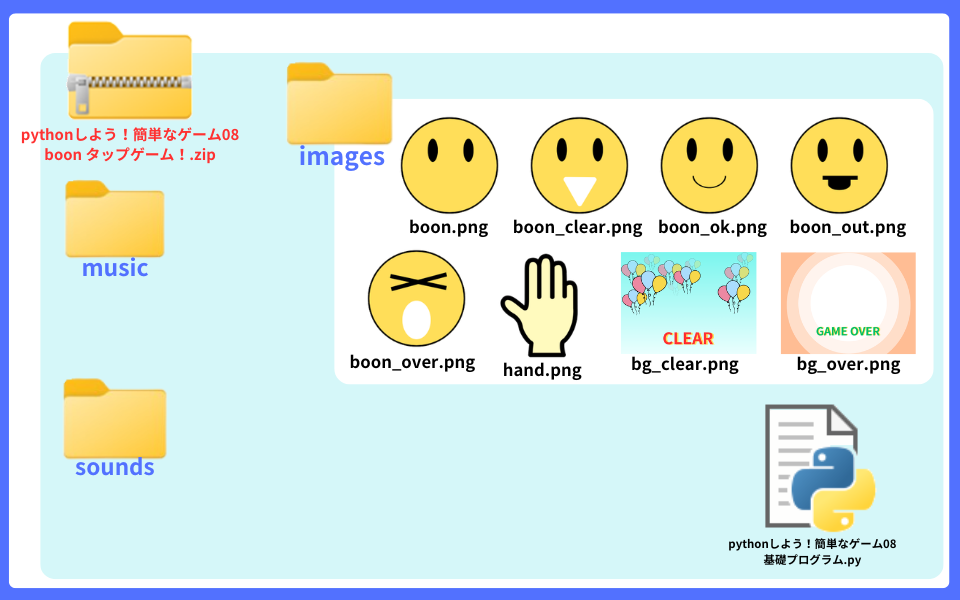
基礎プログラムと 画像を入れた
「簡単なゲーム08 boon タップゲーム!」zipフォルダを
ダウンロードしてください
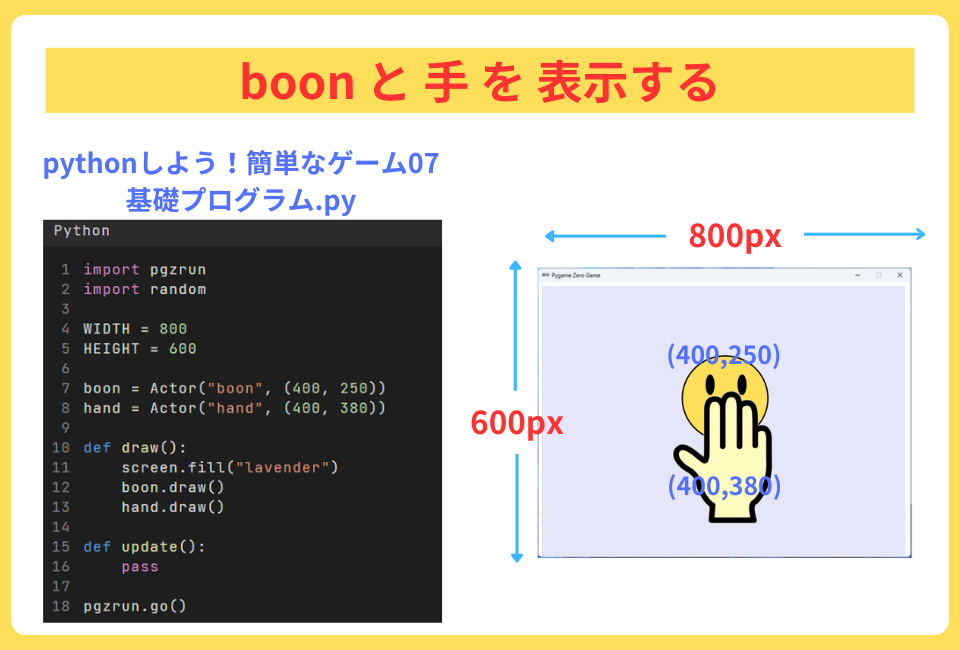
今回は、スクリーンの色を “lavender“に したよ
「原色大事典」サイトには、URL:https://www.colordic.org/
pygame zeroで使える色が載っています
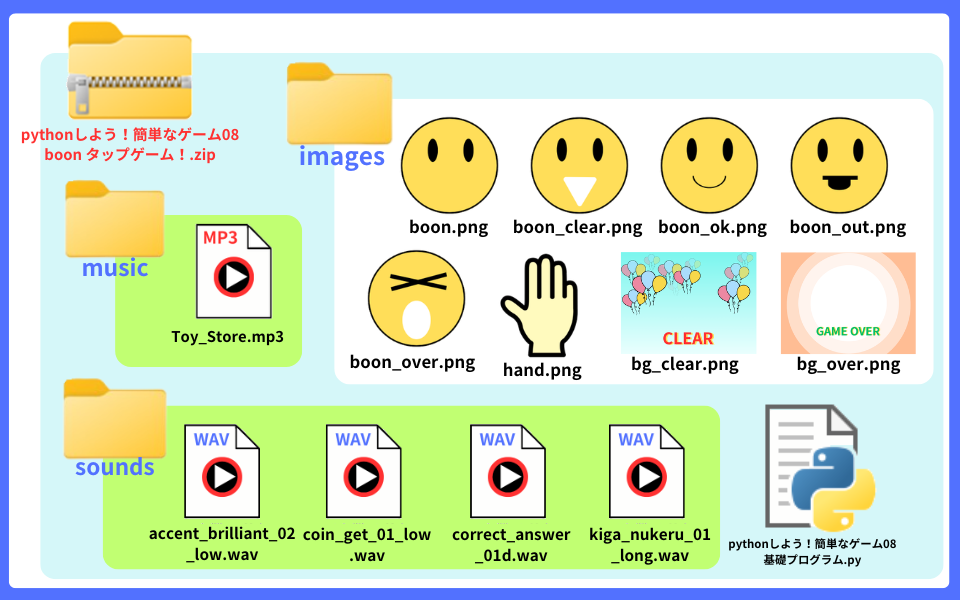
このゲームで使用している音声ファイルは、
以下のサイトからお借りしています。
各自でダウンロードして、該当するフォルダに入れてください!
BGM提供:DOVA-SYNDROME
https://dova-s.jp/
・ 「Toy_Store 」 by Heitaro Ashibe
効果音提供:Chisato’s Website
https://chisatosound.sakura.ne.jp/index.html
・ 「Accent. Brilliant [02] (Low)」:アクセント
・ 「Coin Get [01] (Low)」: アクションゲーム
・ 「Kiga Nukeru [01] (Long)」:アニメ
・ 「Correct Answer [01D]」:クイズ
今日の学習を 動画にまとめました。
BGM提供:DOVA-SYNDROME
〇 Dreaming Stargazer written by Kei Morimoto
〇 Art Break written by くれっぷ
〇 A Cat in Palm Beach written by 北見ヒツジ
この動画で学習内容が サクッとわかっちゃうよ
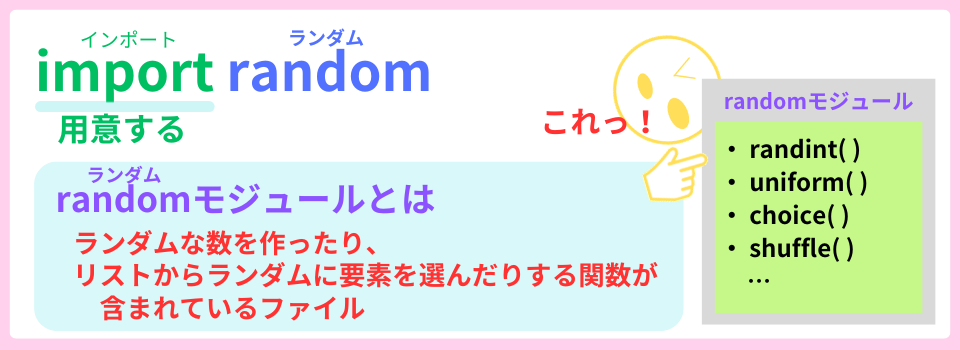
モジュールとは、
関数やプログラムが書かれているファイルのことだよ
Actor( )クラスが入っている 変数boon や 変数handには、
オブジェクトを動かす属性(データ)やメソッド(命令)が
あります。
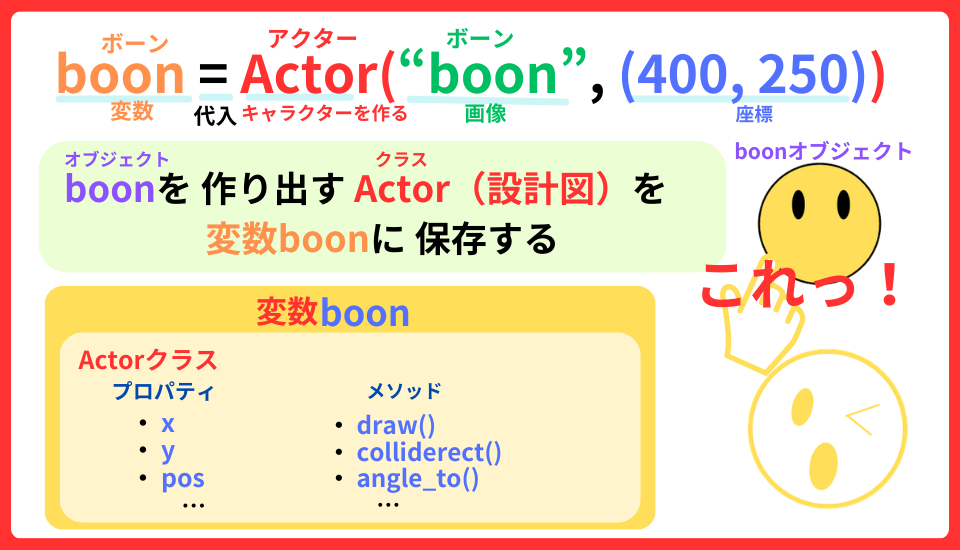
これで、変数boon や 変数hand に
「 . (ドット)」を付ければ 使えるよ
今回のプログラミングには、ポイントが 2つあります
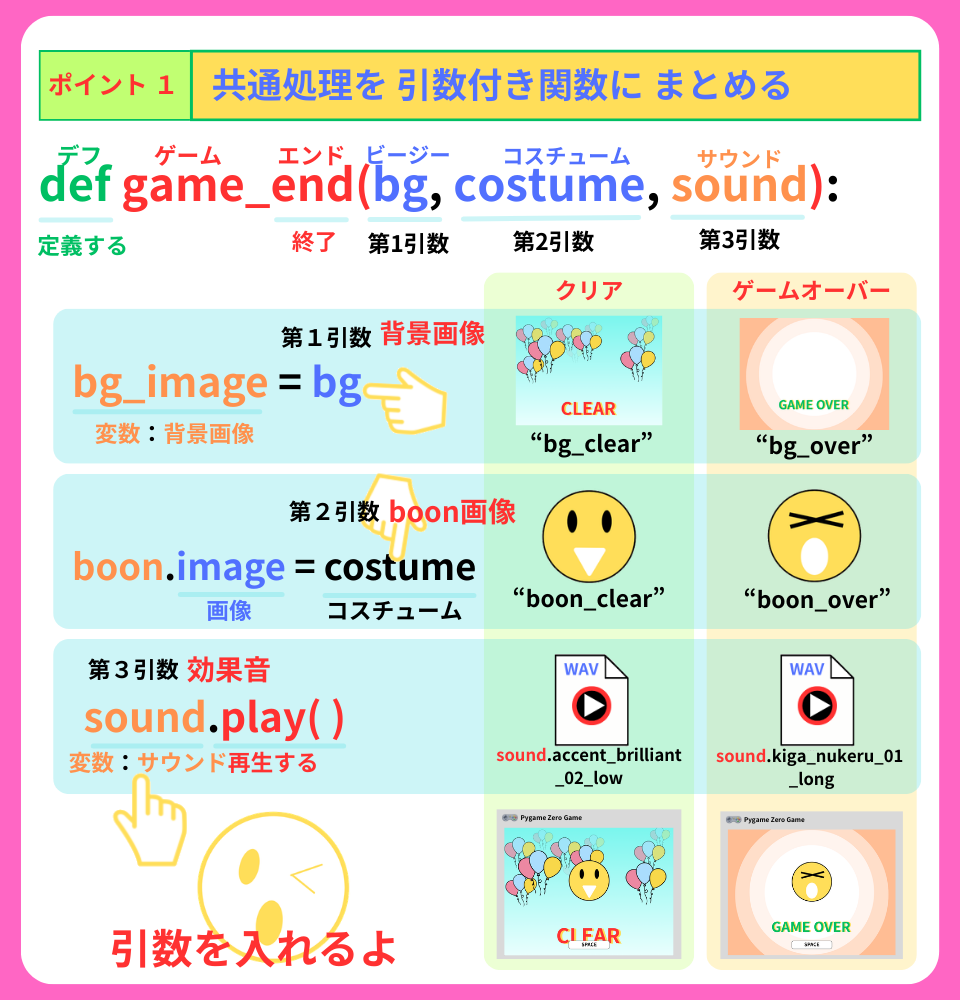
クリアとゲームオーバーのプログラムを まとめたよ
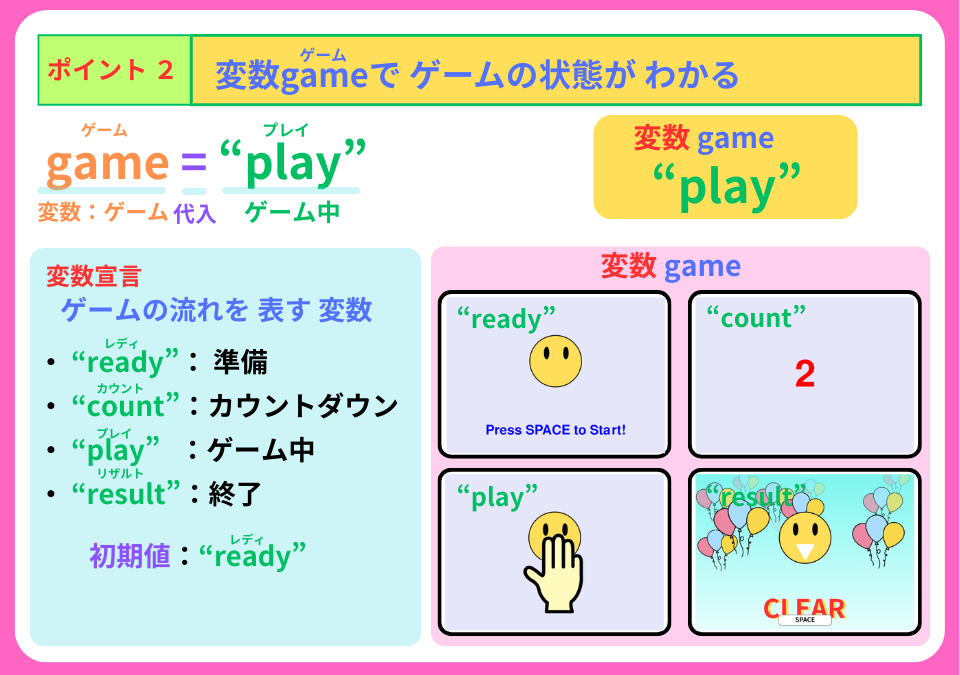
4つに 分けたよ
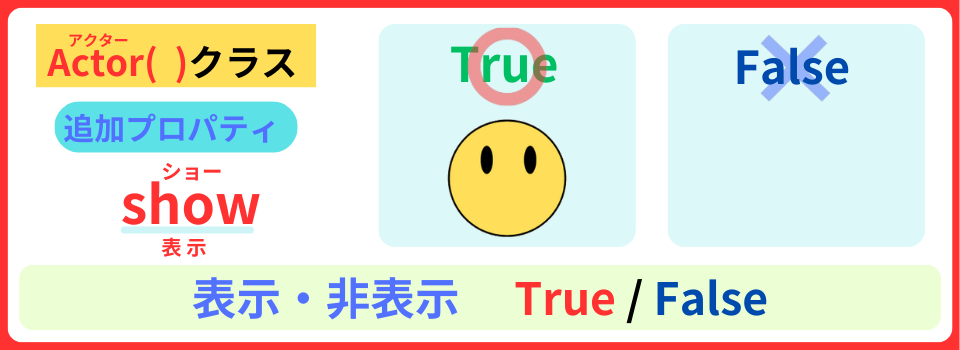
boonと 手に表示・非表示するスイッチとして
プロパティ:show を追加します。
boon = Actor("boon", (400, 250))
boon.show = True   #1 プロパティshowに Tureを設定する

hand = Actor("hand", (400, 380))
hand.show = False   #2 プロパティshowに Falseを設定する

def draw():
    screen.fill("lavender")

    if boon.show:  #3 もし プロパティshow が Trueなら
        boon.draw()
    if hand.show:  #4 もし プロパティshow が Trueなら
        hand.draw()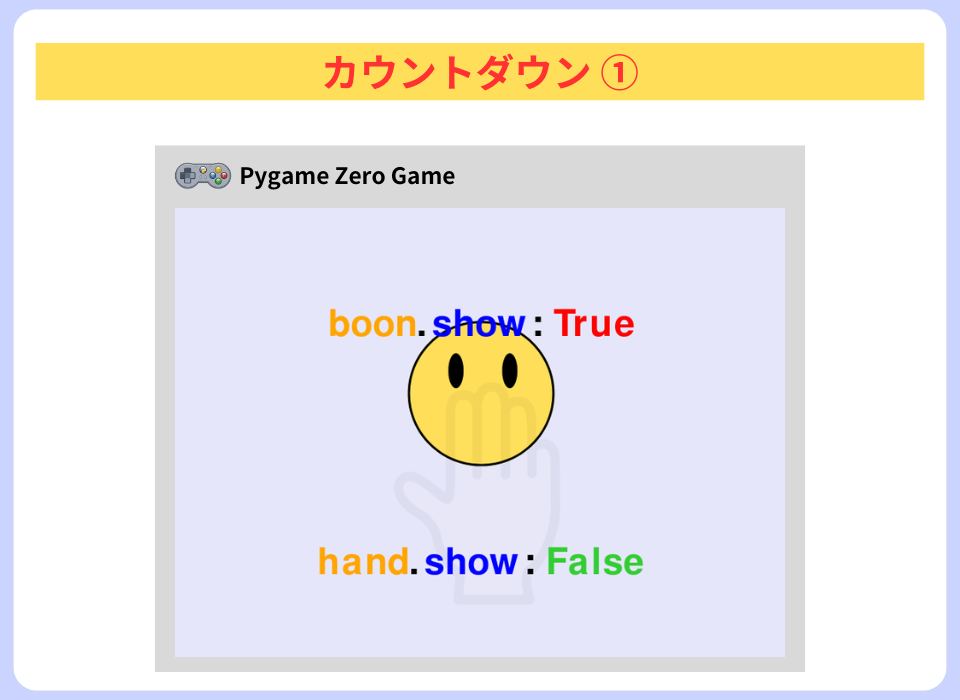
手は、消しておくよ
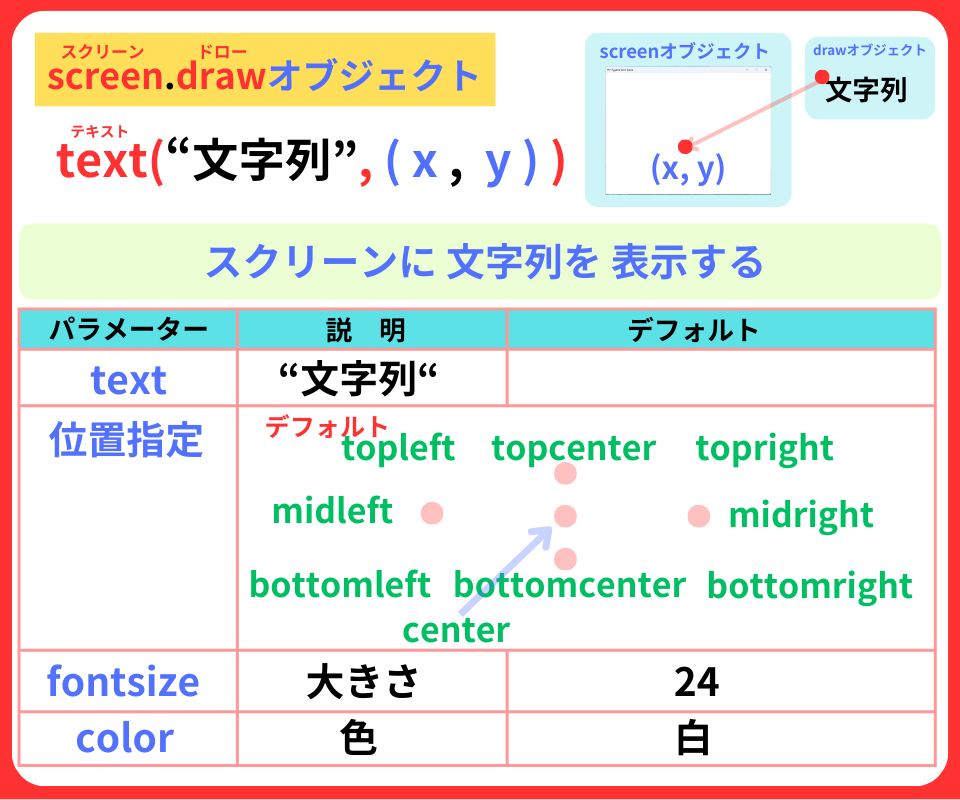
text( )メソッドを使って
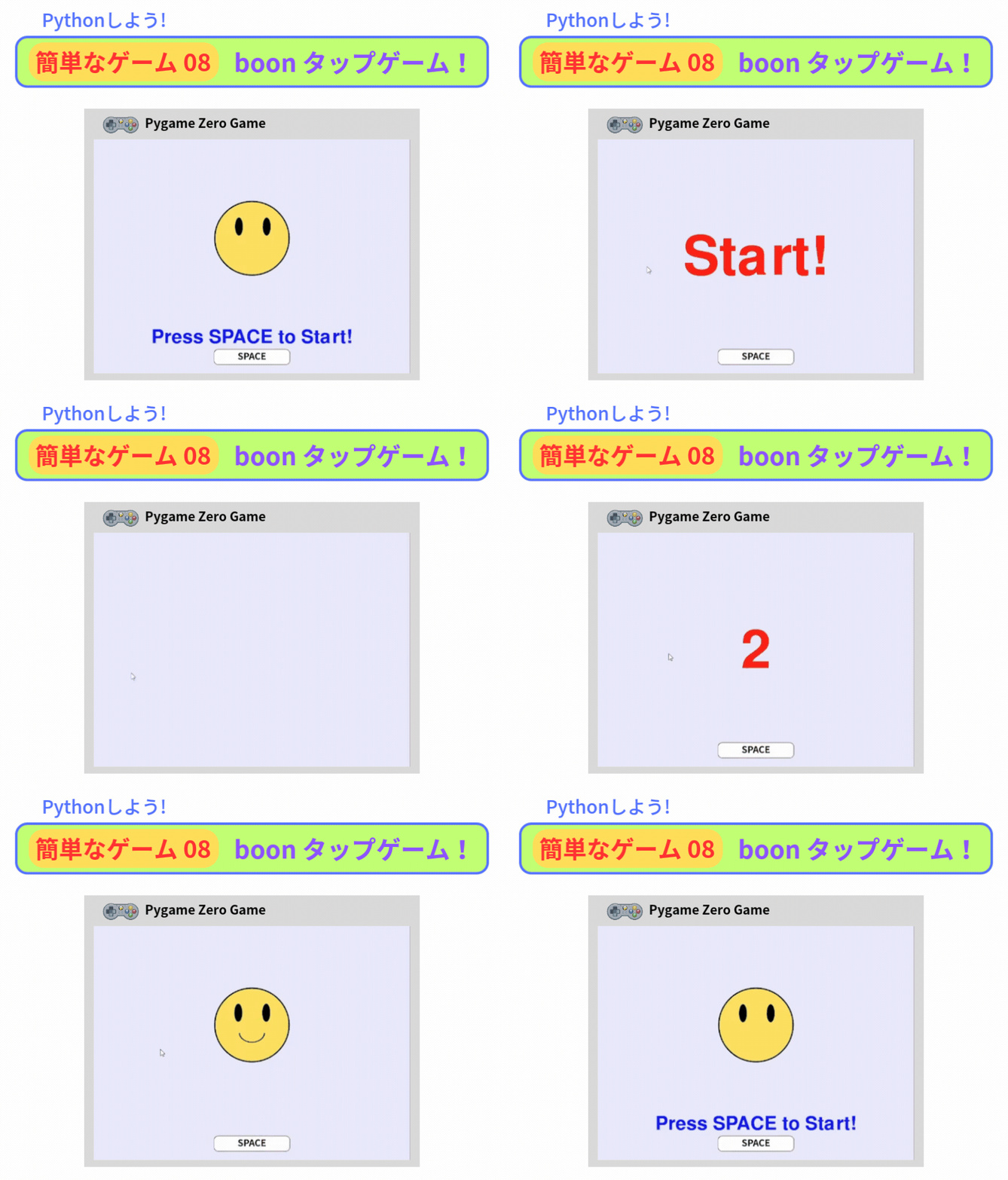
「Press SPACE to Start!(スペースキーを押して スタート!」
を 表示します。
game = "ready"  #1 変数gameを 宣言 初期値:ready

def draw():
    screen.fill("lavender")
    if game == "ready":  #2 もし 変数gameが readyなら
        screen.draw.text("Press SPACE to Start!",
                         center = (400, 500),
                         fontsize = 70,
                         color = "blue"
                         )  #3 「Press SPACE to Start!」を 表示する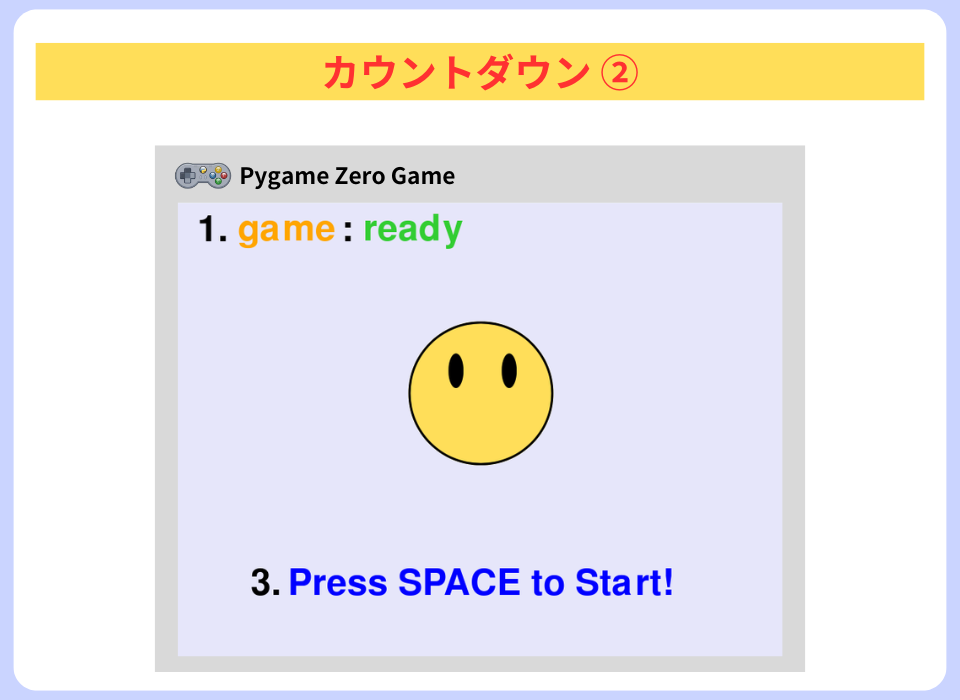
次は、カウントダウンの合図を リストcountsに 入れよう
そして、
変数counts_indexを作って リストcountsの 番号を入れるよ
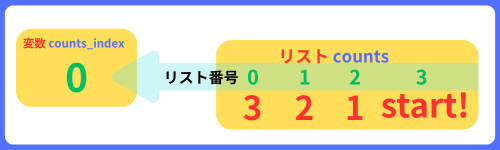
counts = ["3", "2", "1", "Start!"]  #1 リストcountsに 「3、2、1、start」を 代入する
counts_index = 0 #2 変数counts_index を宣言 初期値:0スペースキーを押したら boonを消して、
カウントダウンの数字を 表示するよ
play()メソッドを使って 効果音を入れよう
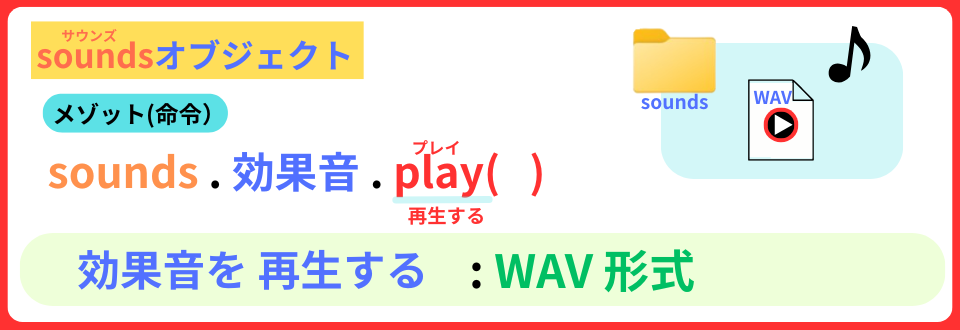
def draw():
    screen.fill("lavender")
    if game == "ready":
        screen.draw.text("Press SPACE to Start!",
                         center = (400, 500),
                         fontsize = 70,
                         color = "blue"
                         )
    elif game == "count":  #8 もし 変数gameが countなら
        screen.draw.text(counts[counts_index],
                         center = (400, 300),
                         fontsize = 200,
                         color = "red"
) #9 リストcountsのindex番を 表示するdef on_key_down(key): #1 キーを押した関数を 定義する
global game #2 グローバル変数 game
if key == keys.SPACE: #3 もし スペースキーが 押されたら
if game == "ready": #4 もし 変数gameが readyなら
game = "count" #5 変数gameに countを 代入する
boon.show = False #6 プロパティshowに Falseを設定する
sounds.coin_get_01_low.play() #7 効果音を 入れるおおっ! カウント「3」が 出てきたぞ
countdown( )関数を 定義を しましょう
len ( )関数を使って
「3、2,1,Start! 」で 止まるようにしました。
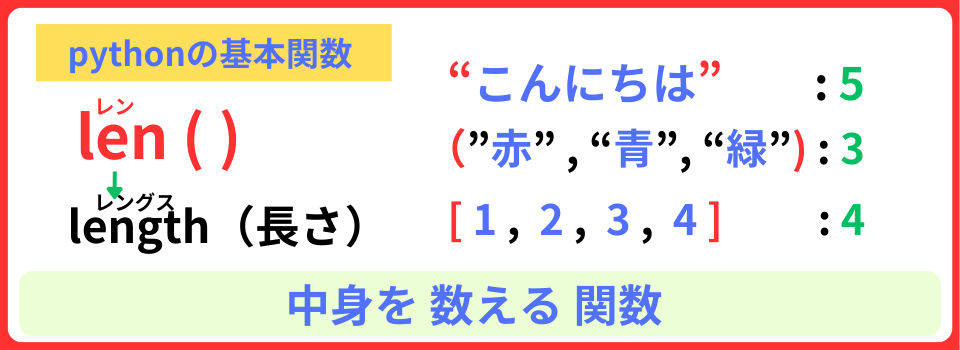
def countdown():    #1 countdown()関数を 定義する
    global game, counts_index  #2 グローバル変数game counts_index

    counts_index += 1  #3 変数counts_indexを 1ずつ増やす

    if counts_index < len(counts):    #4 変数counts_indexが リストcountsの要素の数より 小さければ
        sounds.coin_get_01_low.play() #5 効果音を鳴らす
    else:                             #6 その他
        clock.unschedule(countdown)   #7 countdown関数を 止める
        game = "play"                 #8 変数gameに playを代入する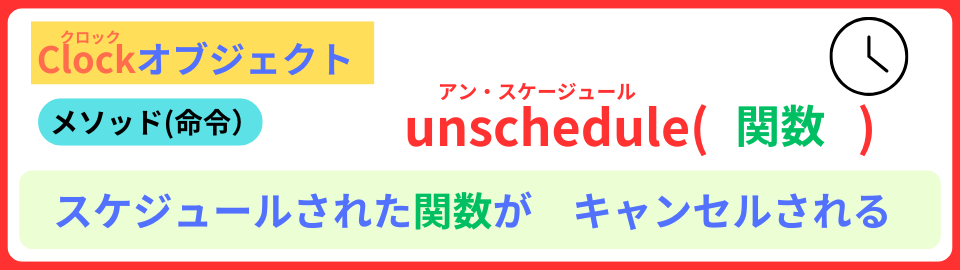
変数counts_index が 「4」の時、
76. else
77. clock.unschedule(countdown)
ここで、スケジュールされたcountdown関数が キャンセルされ 次回から実行されません
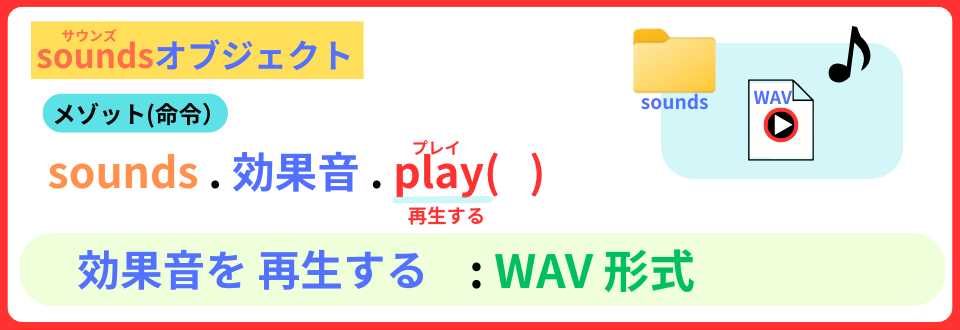
55. sounds.coin_get_01_low.play()
これで、効果音が出ます。
もし、効果音の名前に大文字があった場合、エラーが出るので 小文字に直しましょう
そして、
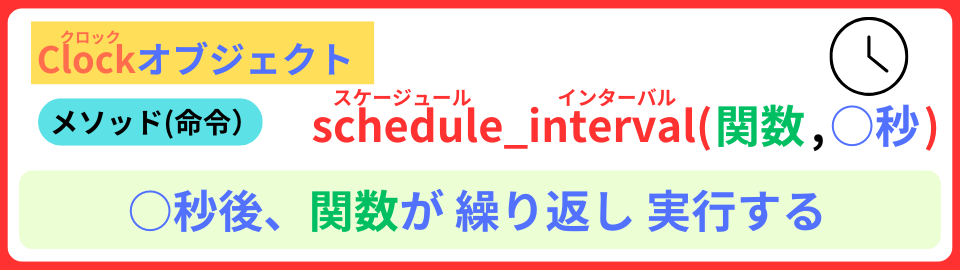
schedule_interval( ) メソッドで、
0.6秒ごとに countdown関数を 実行させるんだ!
def on_key_down(key):
    global game

    if key == keys.SPACE:
        if game == "ready":
            game = "count"
            boon.show = False
            sounds.coin_get_01_low.play()
clock.schedule_interval(countdown, 0.6) #1 0.6秒ごと countdown関数を 実行するこれで、カウントダウン完成!
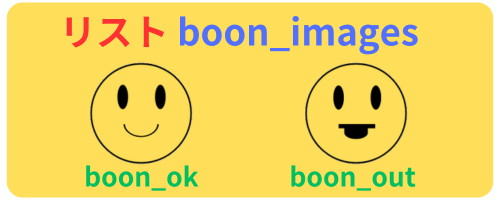
最初に リストboon_imagesを 作成し、
画像”boon_ok” と ”boon_out“を 入れましょう
boon = Actor("boon", (400, 250))
boon.show = True
boon_images = ["boon_ok", "boon_out"] #1 リストboon_imagesに 2つの画像を 代入するそして、
この2つのboonの画像を 8回 ランダムに表示する
boon_show() 関数を 定義します
choice( )メソッドを使って
“boon_ok” か “boon_out” か ランダムに選びます
def boon_show(): #1 boon_show()関数を 定義する
    global game #2 グローバル変数game

    boon.image = random.choice(boon_images) #3 プロパティimageに リストboon_imagesから ランダムに選ぶ
    boon.show = True #4 boonの画像を表示する
sounds.coin_get_01_low.play() #5 効果音を 鳴らすカウントダウンが終わって、変数gameが “play“になったら
boon_move()関数を 実行しよう
def countdown():
    global game, counts_index

    counts_index += 1

    if counts_index < len(counts):
        sounds.coin_get_01_low.play()
    else:
        clock.unschedule(countdown)
        game = "play"
boon_show() #1 boon_show()関数を 実行するおおっ!boonの画像が、出てきたぞ
boonにプロパティcountを追加します。
ここには、boon画像が表示した回数が 入ります。
boon = Actor("boon", (400, 250))
boon.show = True
boon_images = ["boon_ok", "boon_out"]
boon.count = 0 #1 プロパティcountに 0を設定する次に、boon_show()関数を 修正します。
・ boon画像が 表示するたびに プロパティcount を 1ずつ増やす
・ boon画像の表示回数を 8回
def boon_show():
    global game

    if boon.count < 8:  #1 もし プロパティcountが 8未満なら
        boon.image = random.choice(boon_images)
        boon.show = True
        sounds.coin_get_01_low.play()
boon.count += 1 #2 プロパティcountを 1ずつ増やすそして、schedule_interval( ) メソッドで、
0.6秒ごと boon_show( )関数を 実行させてみよう
def countdown():
    global game, counts_index

    counts_index += 1

    if counts_index < len(counts):
        sounds.coin_get_01_low.play()
    else:
        clock.unschedule(countdown)
        game = "play"
        boon_show()
        clock.schedule_interval(boon_show, 0.6)  #1 0.6秒ごとに boon_show関数を 実行する
あれれっ…!? 8回 boonの顔が 表示された…?
まだですよ!
boon画像を 非表示にする boon_hide()関数を定義します。
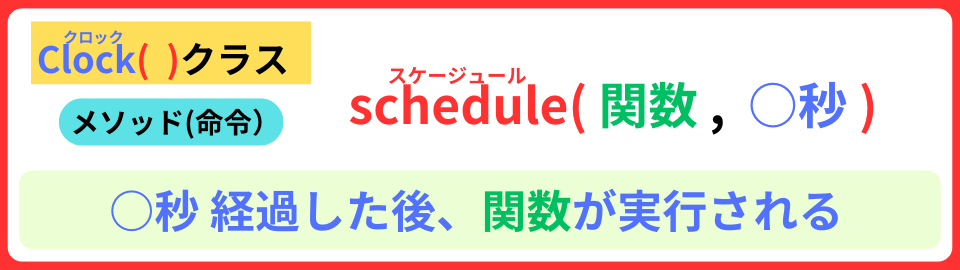
そして、schedule( )メソッドを使って
boon画像が表示された0.4秒後に、boon_hide関数を 実行させるんだ
def boon_show():
    global game

    if boon.count < 8:
        boon.image = random.choice(boon_images)
        boon.show = True
        sounds.coin_get_01_low.play()
        boon.count += 1
        clock.schedule(boon_hide, 0.4) #3 0.4秒後に boon_hide関数を実行する

def boon_hide():     #1 boon_hide関数を 定義する
boon.show = False #2 プロパティshowを Falseに設定するおおっ!いいねえ
スペースキーを 押したら、「手」を表示させましょう
def on_key_down(key):
    global game

    if key == keys.SPACE:
        if game == "ready":
            game = "count"
            boon.show = False
            sounds.coin_get_01_low.play()
            clock.schedule_interval(countdown, 0.6)

        elif game == "play":  #1 もし 変数gameが playなら
            hand.show = True  #2 手のプロパティshowを Trueにする

def on_key_up(key):        #3 キーを 離した関数を 定義する
    if key == keys.SPACE:  #4 もし キーが スペースキーなら
hand.show = False #5 手のプロパティshowに Falseを設定するこれで、タップできるね
次は、ゲームを終了するgame_end( )関数を 定義しましょう
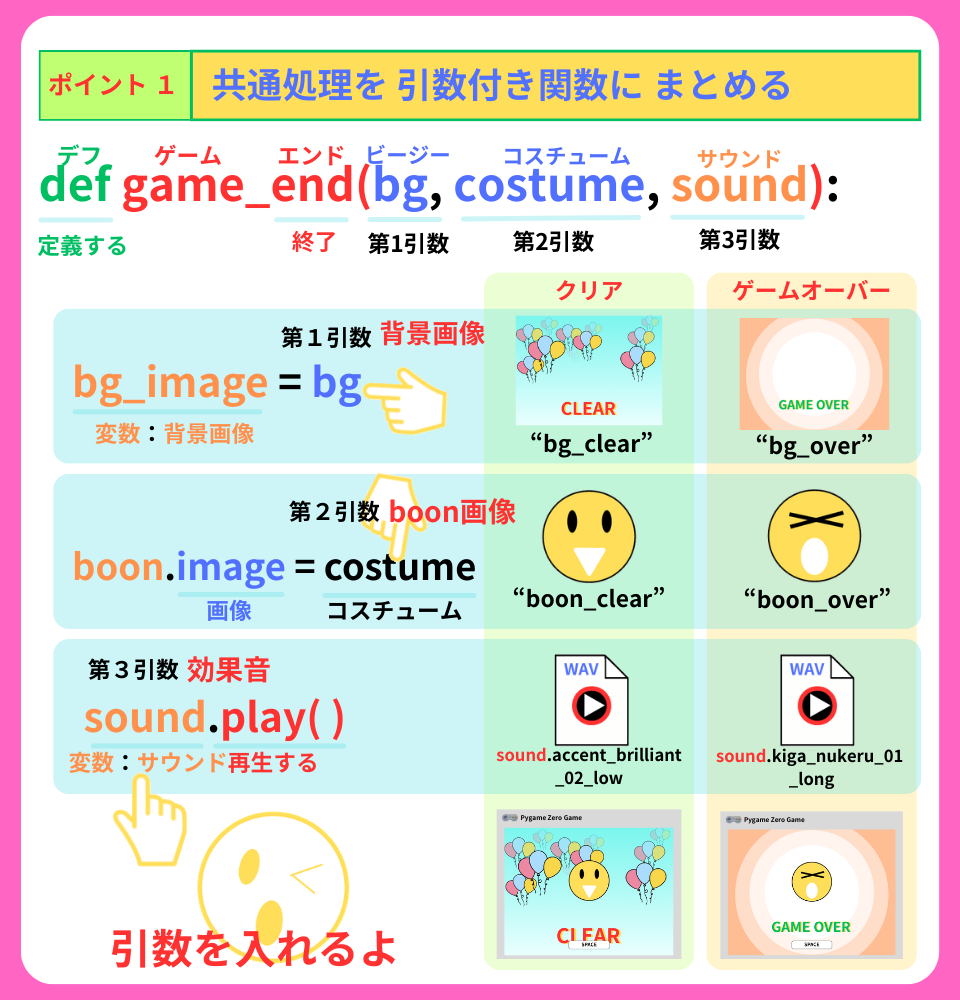
game = "ready"
bg_image = None    #2 変数bg_imageを 宣言 初期値:None(無し)

def draw():
    screen.fill("lavender")
    if bg_image:   #3 もし 変数bg_imageに 背景画像があったら
        screen.blit(bg_image, (0, 0))  #4 変数bg_imageの背景画像を 表示する
if game == "ready": def game_end(bg, costume, sound): #5 game_end( )関数を 定義する
global bg_image #6 グローバル変数 bg_image
music.stop() #7 BGMを 止める
bg_image = bg #8 変数bg_imageに 引数bgを代入する
boon.image = costume #9 プロパティimageを 引数coutumeに設定する
sound.play() #10 変数soundの効果音を 再生する
music.play("toy_store") #1 BGMを 流すこれで、game_end( )関数が 定義できたよ。
ゲームオーバーは、下記の2点です。
1.画像boon_ok を タップする
2.画像boon_out を タップしない
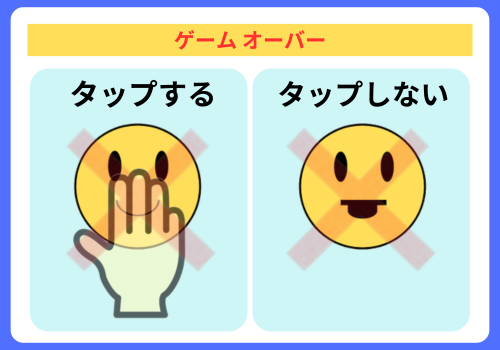
まずは、画像boon_okを タップしたらゲームオーバーになる
プログラムを作ります。
def on_key_down(key):
    global game

    if key == keys.SPACE:
        if game == "ready":
            game = "count"
            boon.show = False
            sounds.coin_get_01_low.play()
            clock.schedule_interval(countdown, 0.6)

        elif game == "play":
            hand.show = True

            if boon.show and boon.image == "boon_ok": #1 もし プロパティshowが True かつ 画像boon _okなら
                game = "result"  #2 変数gameに result(結果)を代入する
                clock.unschedule(boon_show)  #3 boon_show関数を 停止する
                clock.unschedule(boon_hide)  #4 boon_hide関数を 停止する
game_end("bg_over", "boon_over", sounds.kiga_nukeru_01_long) #5 game_end()関数を 実行するunschedule( )メソッドで、
boon_show関数とboon_hide関数を中止することを 忘れないでね
つぎは、画像boon_outを タップしなかったら
ゲームオーバーになるプログラムを作ります。
boonオブジェクトに プロパティtapを追加して
タップされたか わかるようにしよう
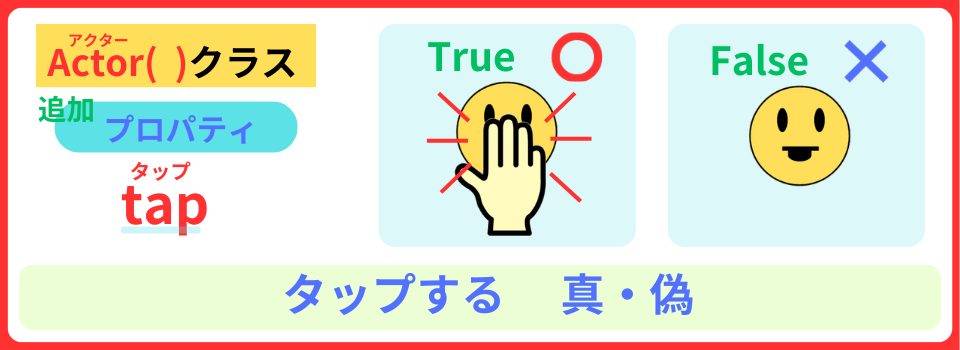
def boon_show():
    global game

boon.tap = False #1 プロパティtapを Falseに設定するこれで、
毎回boon画像が表示されると、タップされてないことになります
先ほどの、画像boon_ok以外 スペースキーを押されたら
プロパティtapが Trueに なります。
def on_key_down(key):
    global game

    if key == keys.SPACE:
        if game == "ready":
            game = "count"
            boon.show = False
            sounds.coin_get_01_low.play()
            clock.schedule_interval(countdown, 0.6)

        elif game == "play":
            hand.show = True

            if boon.show and boon.image == "boon_ok":
                game = "result"
                clock.unschedule(boon_show)
                clock.unschedule(boon_hide)
                game_end("bg_over", "boon_over", sounds.kiga_nukeru_01_long)
            else:                #1 その他
                boon.tap = True  #2 プロパティtapに Trueを設定する
sounds.correct_answer_01d.play() #3 効果音を入れるおおっ! boonが タップされたら わかるね
今度のゲームオーバーは、
画像boon_outの時タップしなかった場合です。
つまり、boonhide関数で、画像boon_outが消えた時に
プロパティtap が Falseになっていたら …
ゲームオーバー!!
def boon_hide():
    global game   #1 グローバルgame

    if game == "play" and boon.image == "boon_out" and not boon.tap:  #2 もし 変数gameが play かつ 画像boon_out かつ プロパティtap  が Falseなら
        game = "result"  #3 変数gameを result(結果)を代入する
        clock.unschedule(boon_show)  #4 boon_show関数を 停止する
        game_end("bg_over", "boon_over", sounds.kiga_nukeru_01_long)  #5 game_end( )関数を 実行する
        return  #6 この関数から 抜ける

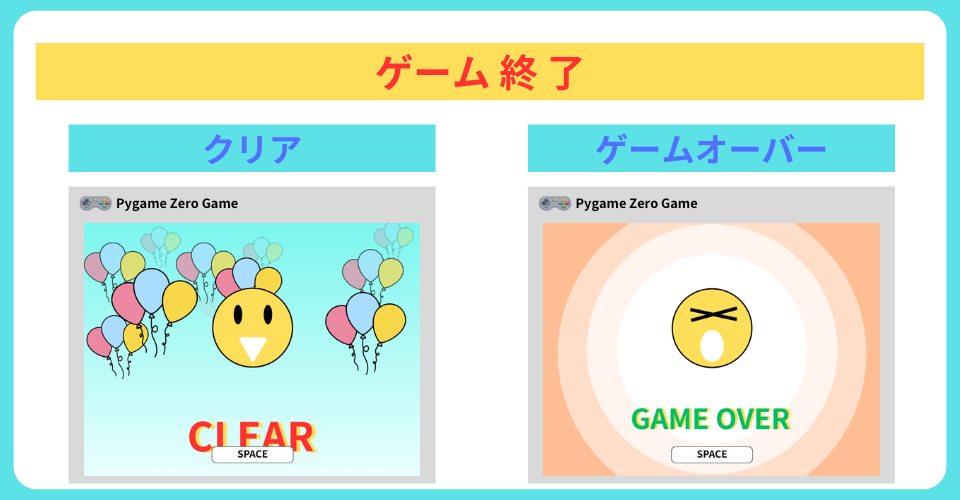
boon.show = False それでは、最後のプログラム。ゲームクリアです。
8回boonの画像をクリアです
def boon_show():
    global game

    boon.tap = False

    if boon.count < 8:
        boon.image = random.choice(boon_images)
        boon.show = True
        sounds.coin_get_01_low.play()
        boon.count += 1
        clock.schedule(boon_hide, 0.4)
    else:    #1 その他(プロパティcountが 8以上)
        clock.unschedule(boon_show)  #2 boon_show関数を 停止する
        game = "result"     #3 変数gameに result(結果)を 代入する
        boon.show = True    #4 プロパティshowを Trueに設定する
game_end("bg_clear", "boon_clear", sounds.accent_brilliant_02_low) #5 game_end( )関数を実行する今回の学習は、これで 終了! おつかれさま
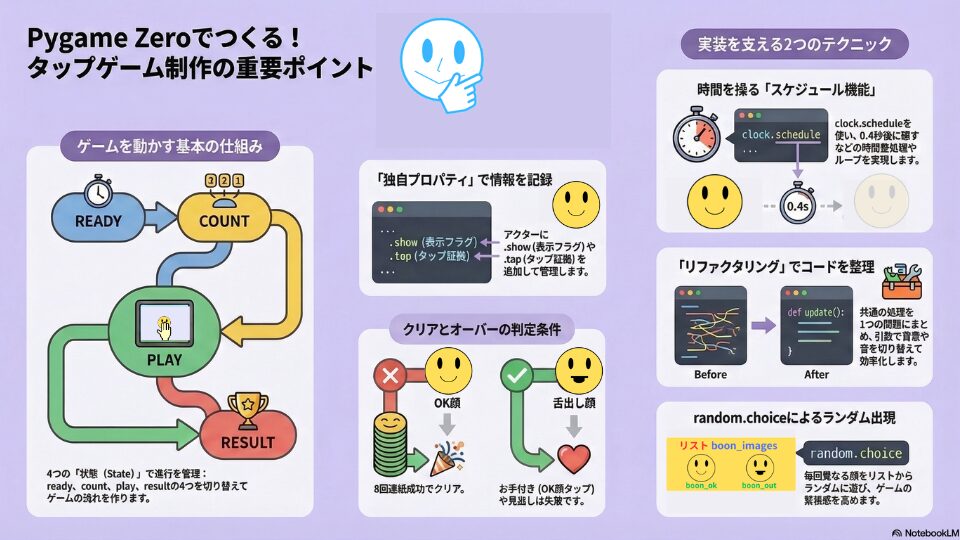
音声ガイドです。
2人のホストが、今回の学習内容を 深堀していきます!
今回は、
タップゲームをプログラムを 作りました。
import pgzrun
import random

WIDTH = 800
HEIGHT = 600

boon = Actor("boon", (400, 250))
boon.show = True
boon_images = ["boon_ok", "boon_out"]
boon.count = 0

hand = Actor("hand", (400, 380))
hand.show = False

counts = ["3", "2", "1", "Start!"]
counts_index = 0

game = "ready"
bg_image = None

def draw():
    screen.fill("lavender")
    if bg_image:
        screen.blit(bg_image, (0, 0))
    if game == "ready":
        screen.draw.text("Press SPACE to Start!",
                         center = (400, 500),
                         fontsize = 70,
                         color = "blue"
                         )
    elif game == "count":
        screen.draw.text(counts[counts_index],
                         center = (400, 300),
                         fontsize = 200,
                         color = "red"
                         )

    if boon.show:
        boon.draw()
    if hand.show:
        hand.draw()

def on_key_down(key):
    global game

    if key == keys.SPACE:
        if game == "ready":
            game = "count"
            boon.show = False
            sounds.coin_get_01_low.play()
            clock.schedule_interval(countdown, 0.6)

        elif game == "play":
            hand.show = True

            if boon.show and boon.image == "boon_ok":
                game = "result"
                clock.unschedule(boon_show)
                clock.unschedule(boon_hide)
                game_end("bg_over", "boon_over", sounds.kiga_nukeru_01_long)
            else:
                boon.tap = True
                sounds.correct_answer_01d.play()

def on_key_up(key):
    if key == keys.SPACE:
        hand.show = False

def countdown():
    global game, counts_index

    counts_index += 1

    if counts_index < len(counts):
        sounds.coin_get_01_low.play()
    else:
        clock.unschedule(countdown)
        game = "play"
        boon_show()
        clock.schedule_interval(boon_show, 0.6)

def boon_show():
    global game

    boon.tap = False

    if boon.count < 8:
        boon.image = random.choice(boon_images)
        boon.show = True
        sounds.coin_get_01_low.play()
        boon.count += 1
        clock.schedule(boon_hide, 0.4)
    else:
        clock.unschedule(boon_show)
        game = "result"
        boon.show = True
        game_end("bg_clear", "boon_clear", sounds.accent_brilliant_02_low)

def boon_hide():
    global game

    if game == "play" and boon.image == "boon_out" and not boon.tap:
        game = "result"
        clock.unschedule(boon_show)
        game_end("bg_over", "boon_over", sounds.kiga_nukeru_01_long)
        return

    boon.show = False

def game_end(bg, costume, sound):
    global bg_image

    music.stop()
    bg_image = bg
    boon.image = costume
    sound.play()

music.play("toy_store")

def update():
    pass

pgzrun.go()game_end( )関数で、
ゲームクリア・オーバーのプログラムをまとめました。
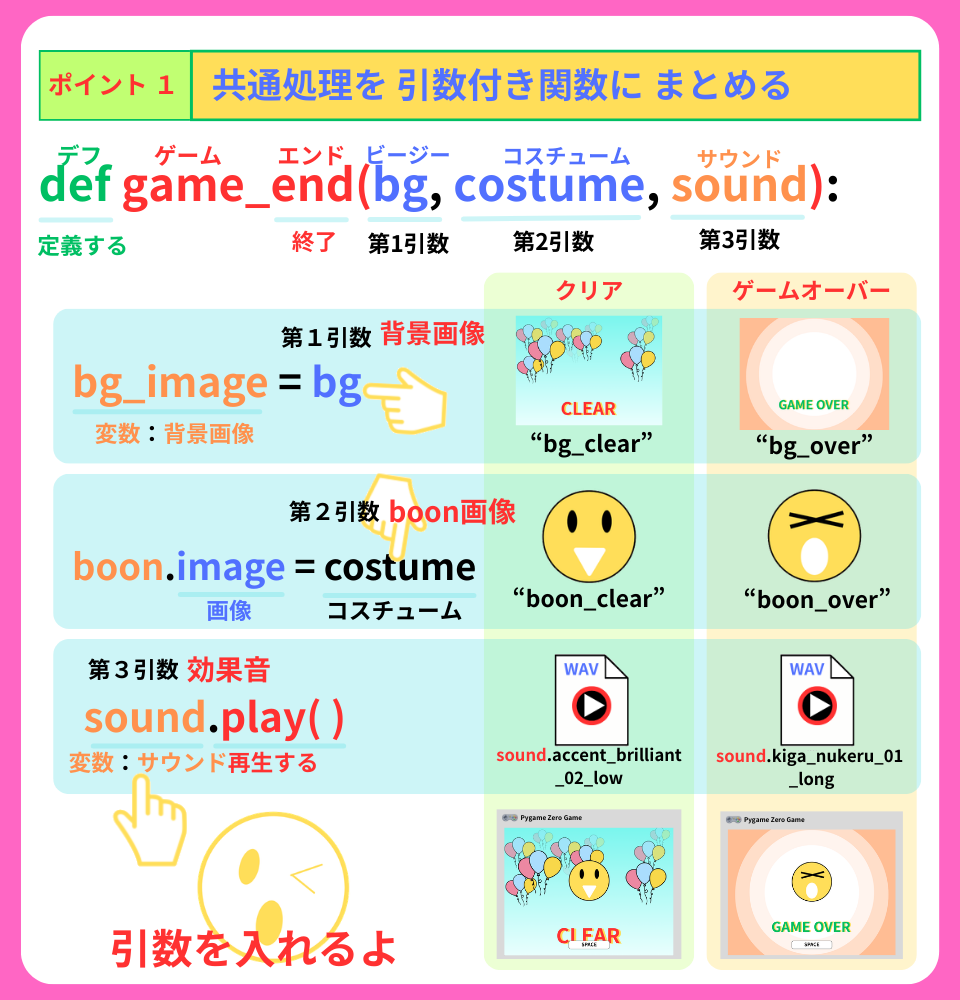
引数に 入れたいものを記入するだけ!
簡単で 便利だね
それじゃ、またね!