【Pygame Zero】簡単なゲーム02:色を当てろ!風船スロットゲーム
ratch2025
Pythonしよう!
こんにちは!
「Pythonしよう!楽しく学べるプログラミング教室」の
ラッチ先生です

スックです。よろしくね!
BGM提供: DOVA-SYNDROME
https://dova-s.jp/
・ 「今日の空も 」 written by POLARIS PLUS
効果音提供:効果音ラボ
https://soundeffect-lab.info/
・ 「プレゼンタイトル表示1」: ニュース・プレゼン(ビジネス系)
・ 「ボヨン」: アニメ
・ 「決定ボタンを押す3」: ボタン・システム音[1]
・ 「決定ボタンを押す26」 :ボタン・システム音[1]
・ 「成功音」: ボタン・システム音[1]
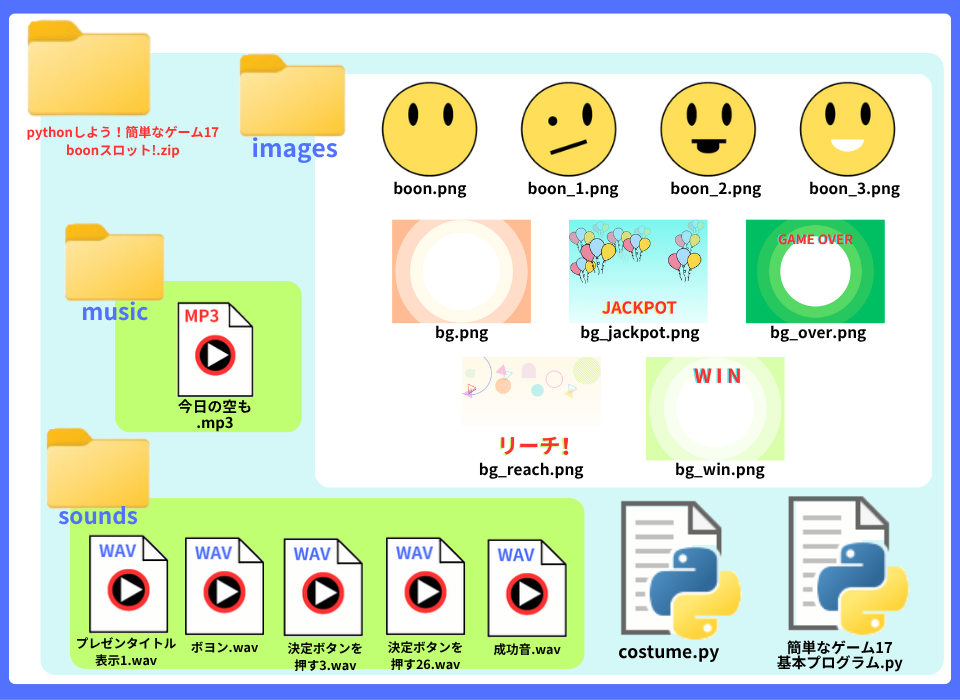
基礎プログラムと 画像を入れた
「簡単なゲーム17: boon スロット!」zipフォルダを
ダウンロードしてください
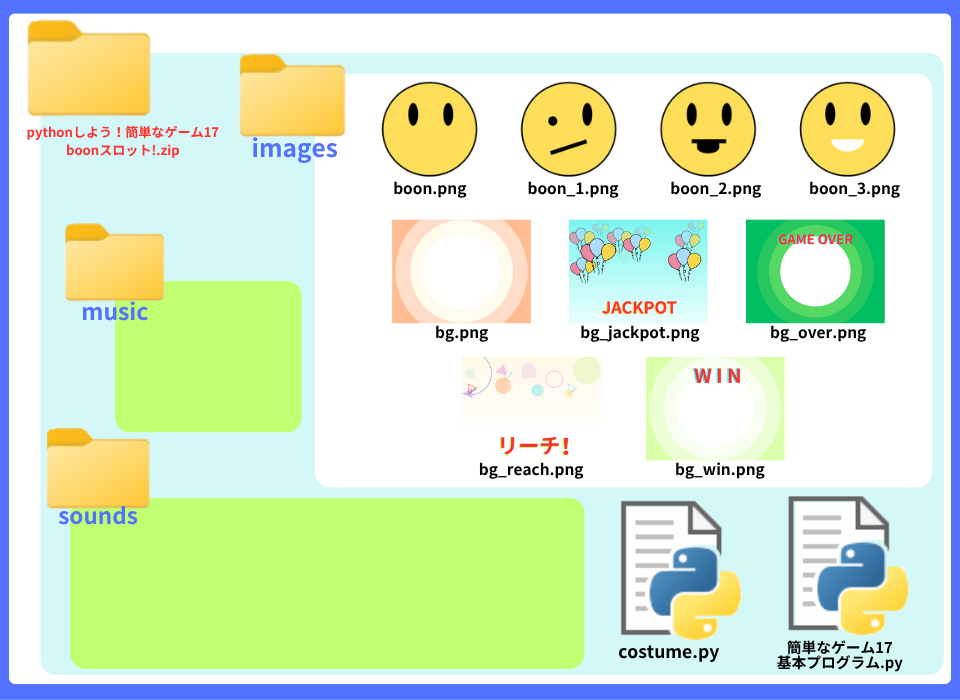
このゲームで使用している音声ファイルは、
以下のサイトからお借りしています。
各自でダウンロードして、該当するフォルダに入れてください!
BGM提供: DOVA-SYNDROME
https://dova-s.jp/
・ 「今日の空も 」 written by POLARIS PLUS
効果音提供:効果音ラボ
https://soundeffect-lab.info/
・ 「プレゼンタイトル表示1」: ニュース・プレゼン(ビジネス系)
・ 「ボヨン」: アニメ
・ 「決定ボタンを押す3」: ボタン・システム音[1]
・ 「決定ボタンを押す26」 :ボタン・システム音[1]
・ 「成功音」: ボタン・システム音[1]
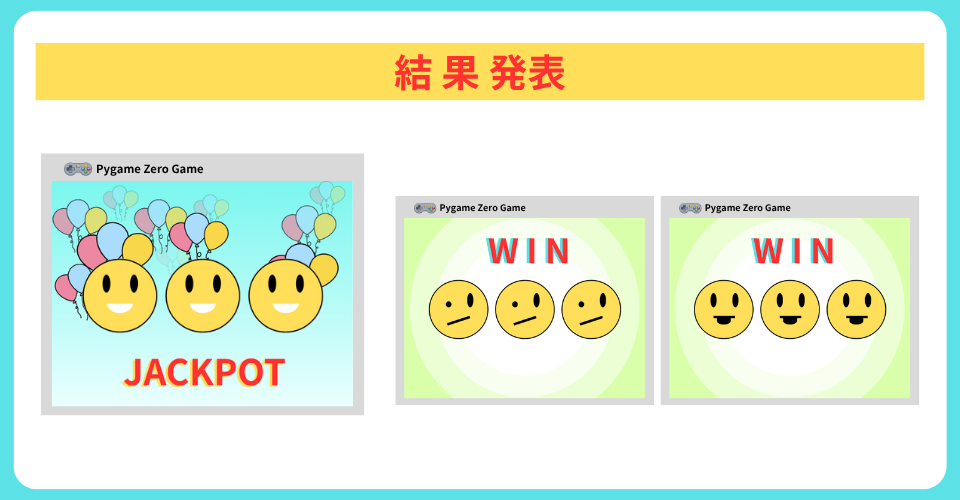
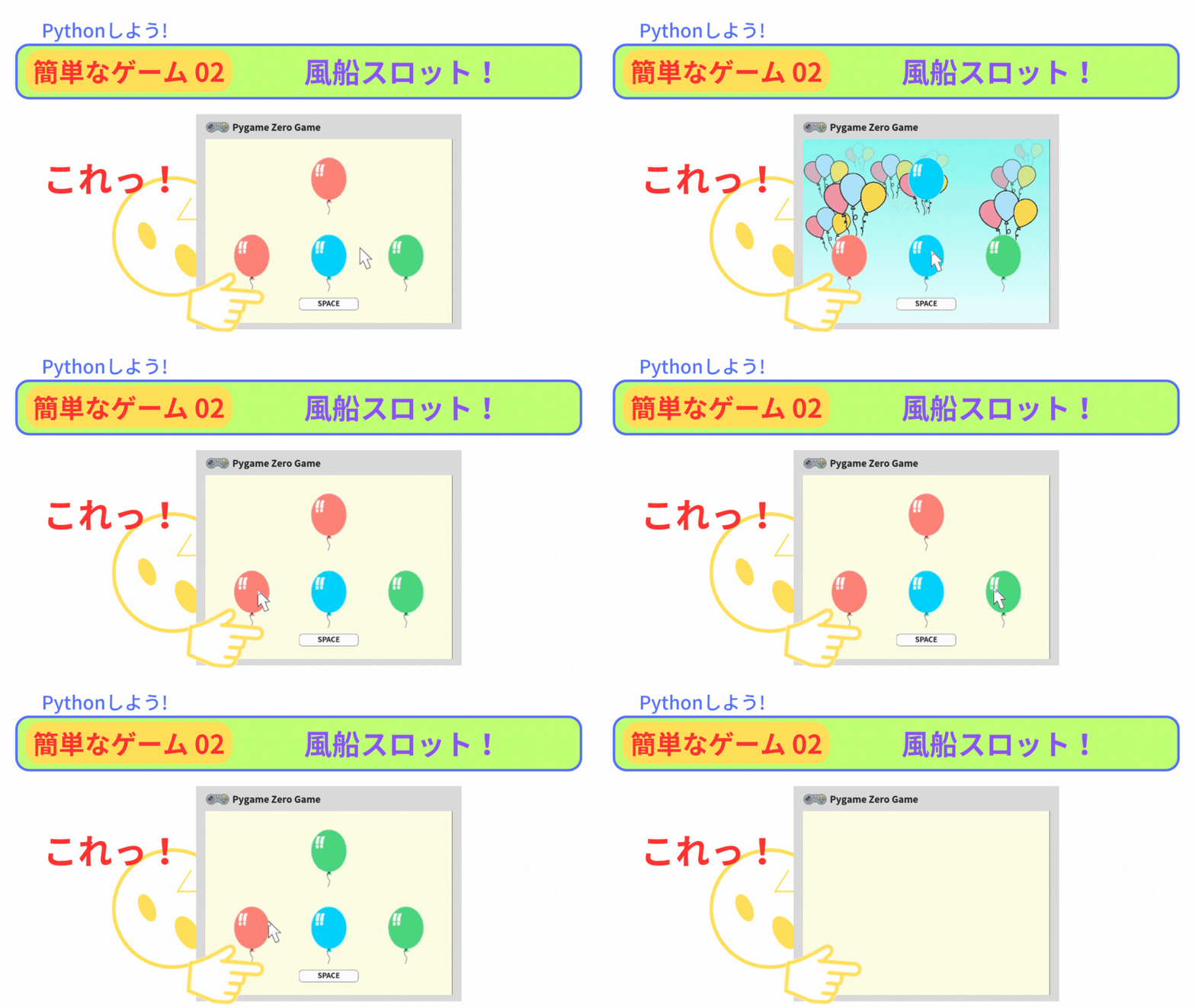
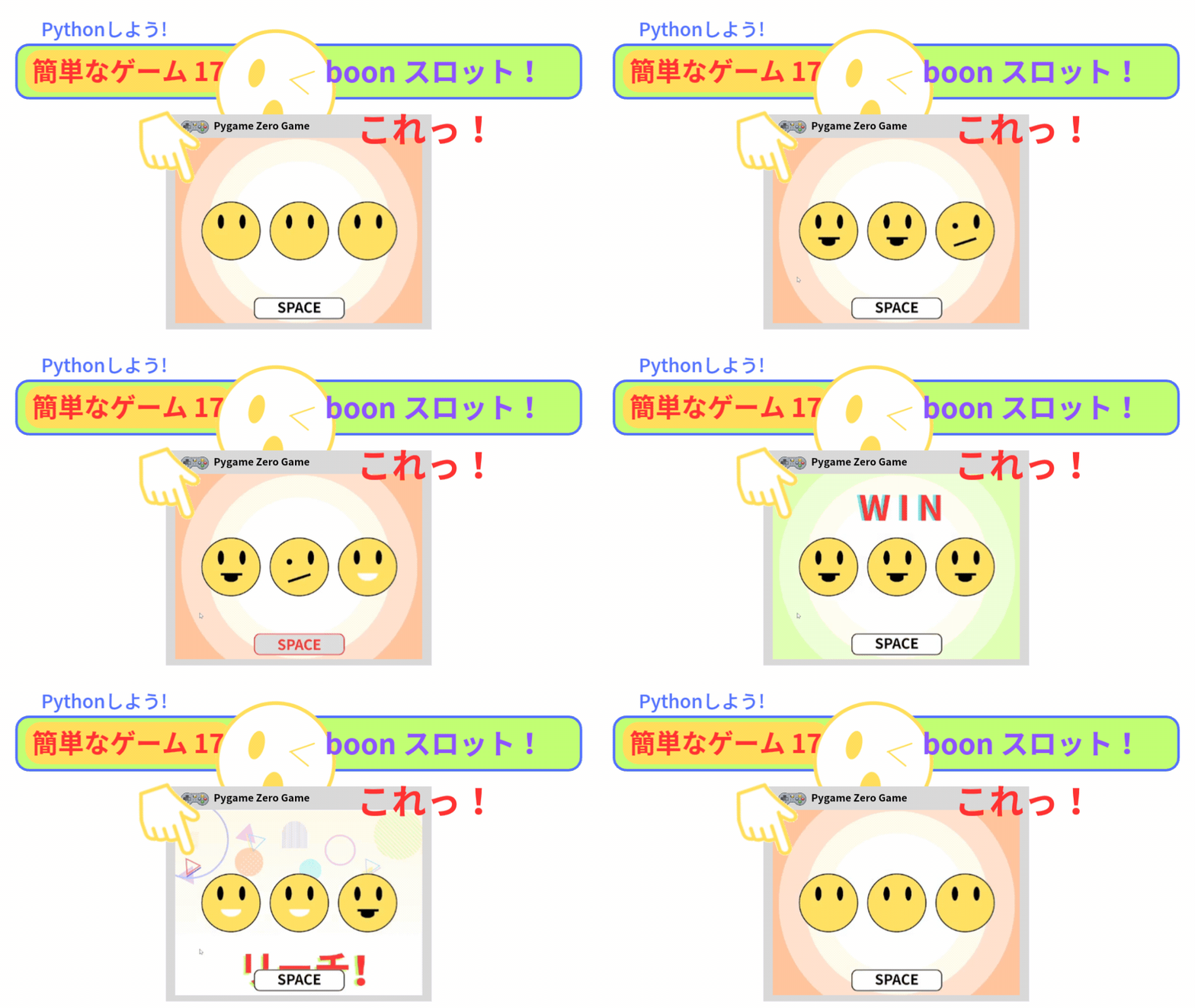
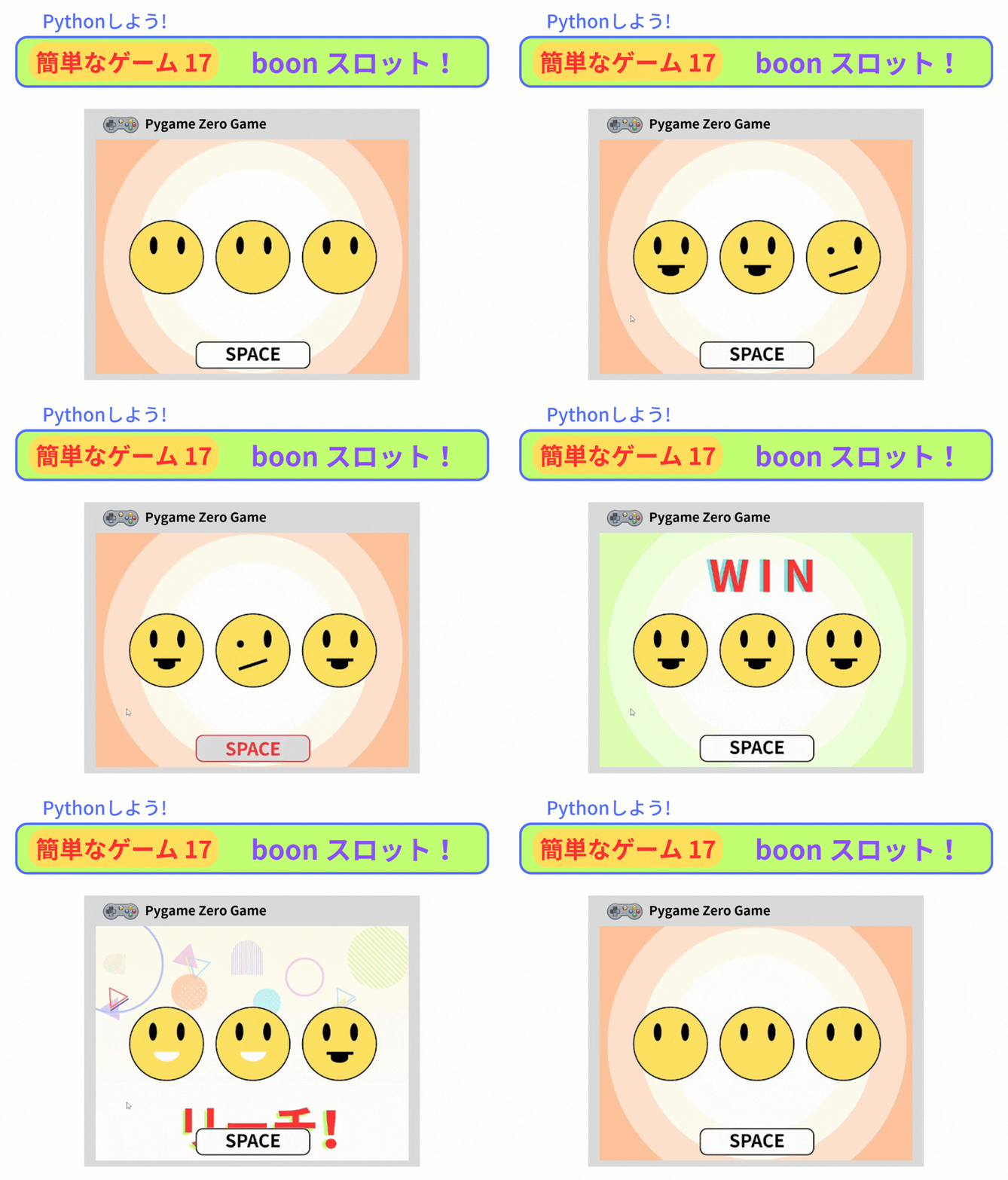
今回の「boonスロット」では、
・スロットのリールを動かす
・リールの速さを ランダムに決める
プログラムがあります。
そこで、2つのモジュールを 用意しました
3つの画像が 入れ替わるんだね
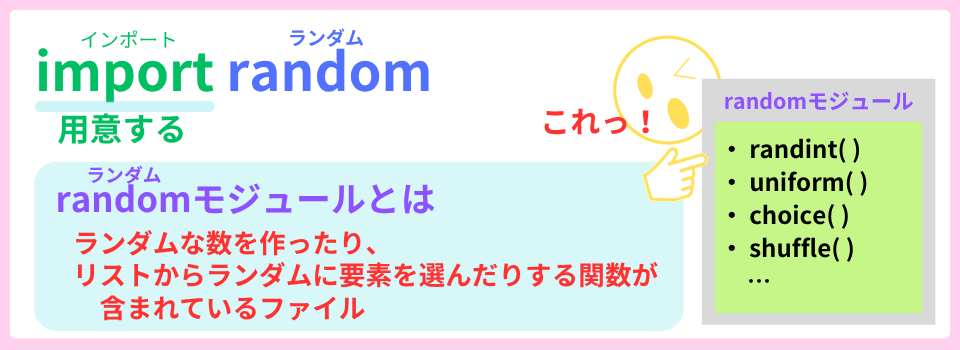
モジュールとは、
関数やプログラムが書かれているファイルのことだよ
Actor()クラスが入っている変数boonには、
boonを動かす属性(データ)やメソッド(命令)が あります。
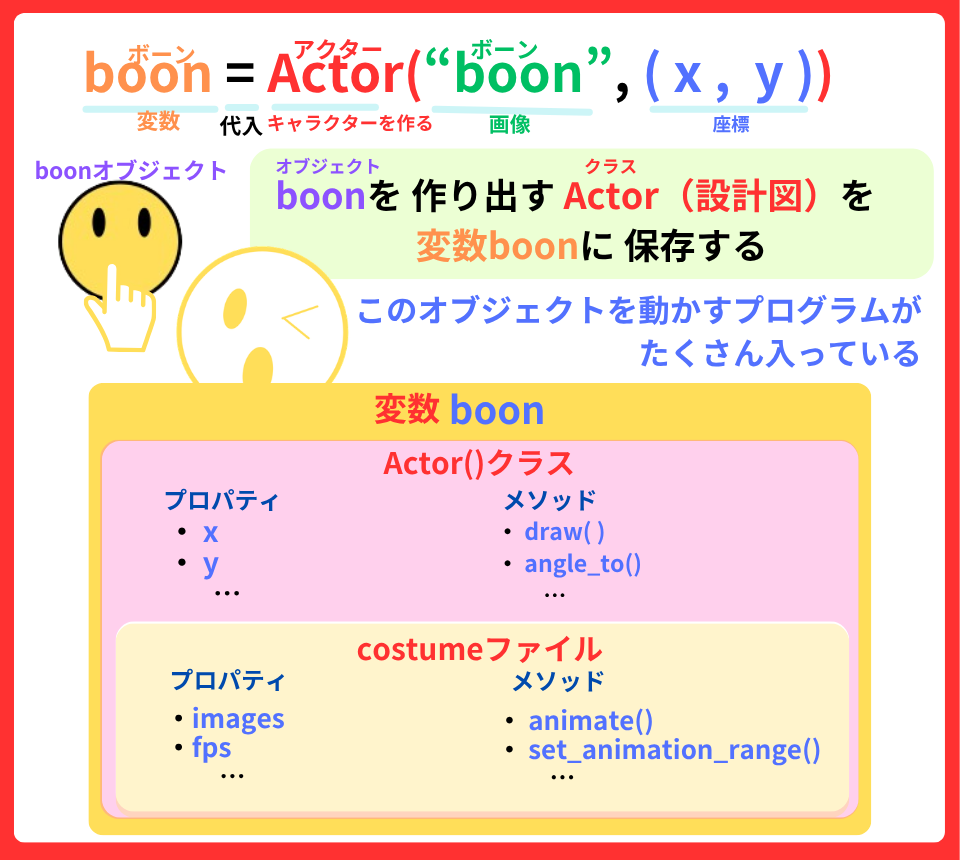
属性(データ)やメソッド(命令)は、
『 . (ドット)』を付ければ、使えるよ
今回のプログラミングには、ポイントが 3つあります
真ん中が止まった時、左の絵柄と違ったら 結果発表に行くよ
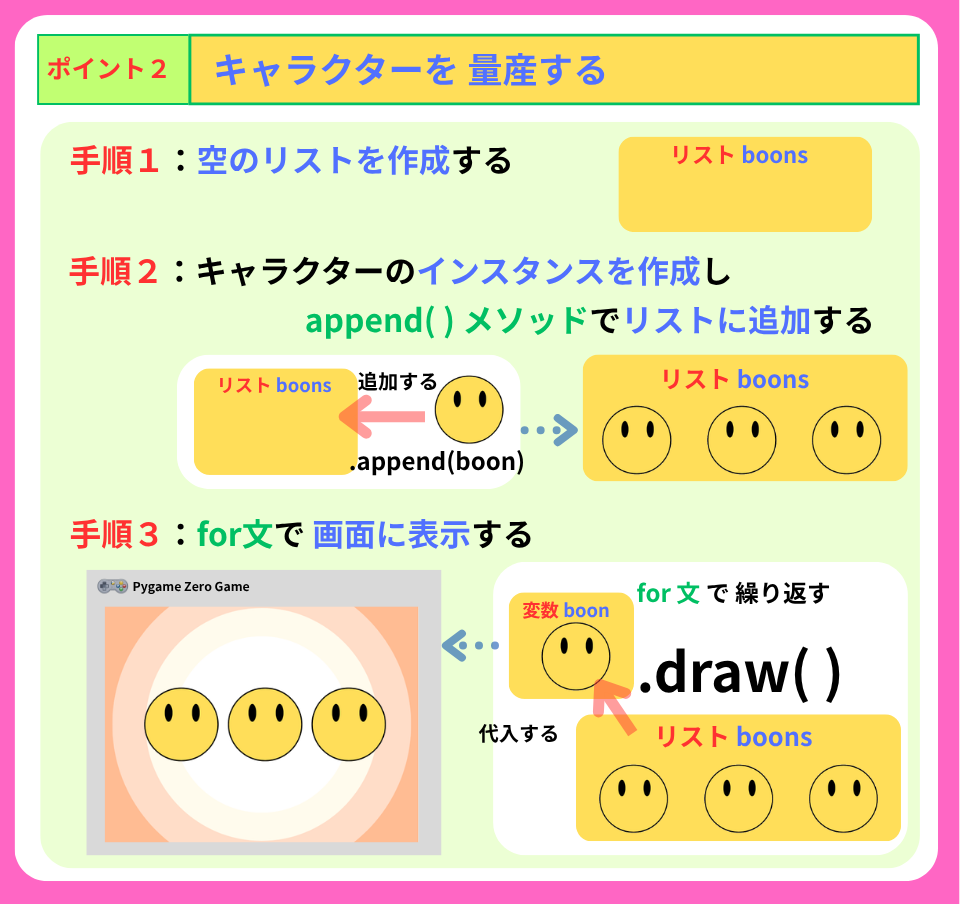
空のリストboons を作成して、その中にboon を追加していくよ
この3つのステップで
コスチュームを変えることができるよ
それでは、
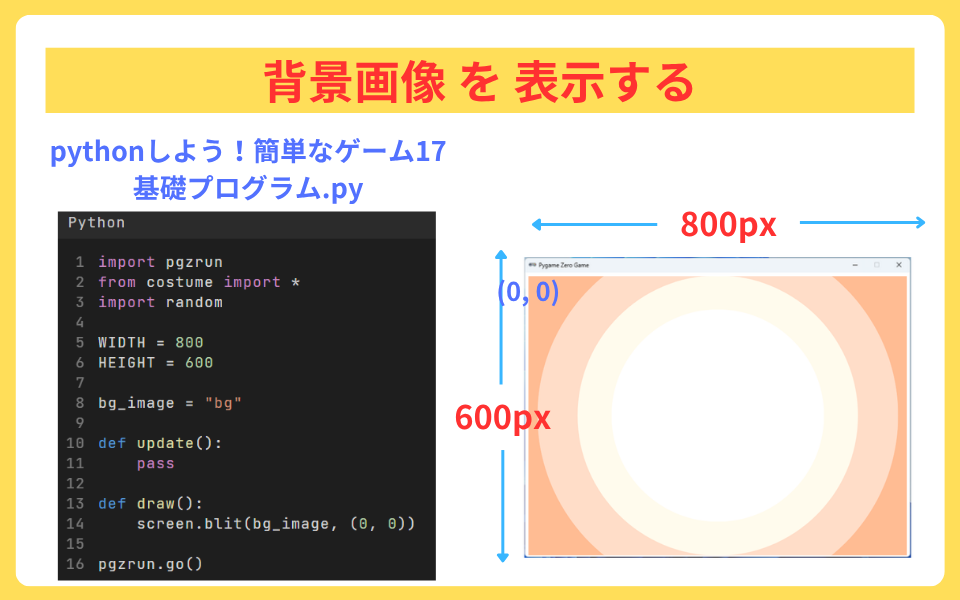
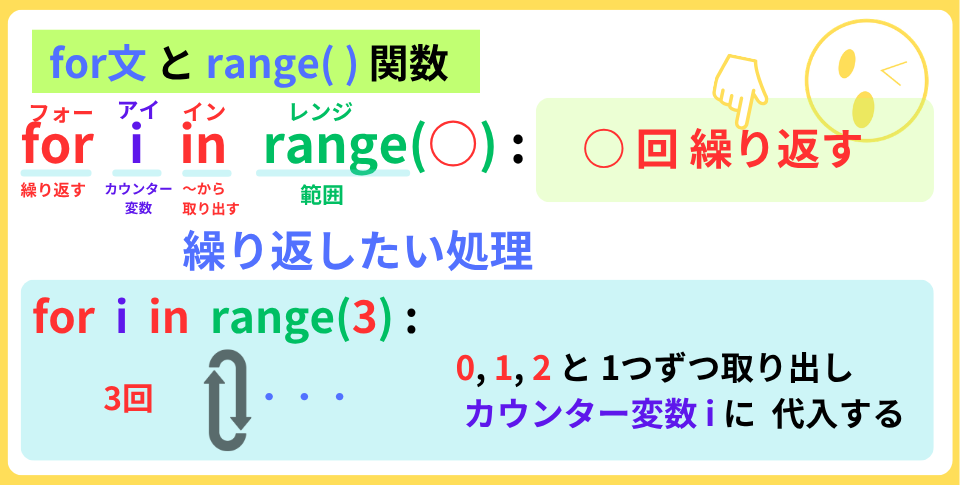
range()関数を使って boonを3つ 生成して配置しましょう
bg_image = "bg"

boons = [] #1 空リストboonsを 作成する

for i in range(3): #2 3回繰り返す
    x = 180 + 220 * i #3 x座標に 180+220×i の数値を代入する
    y = 300 #4 y座標に 300を代入する
    boon = Actor("boon", (x, y)) #5 boon生成する
    boons.append(boon) #6 リストboonsに boonを追加する

def update():
    pass

def draw():
    screen.blit(bg_image, (0, 0))
    for boon in boons: #7 リストboonsから boonを取り出す
        boon.draw() #8 boonを 表示する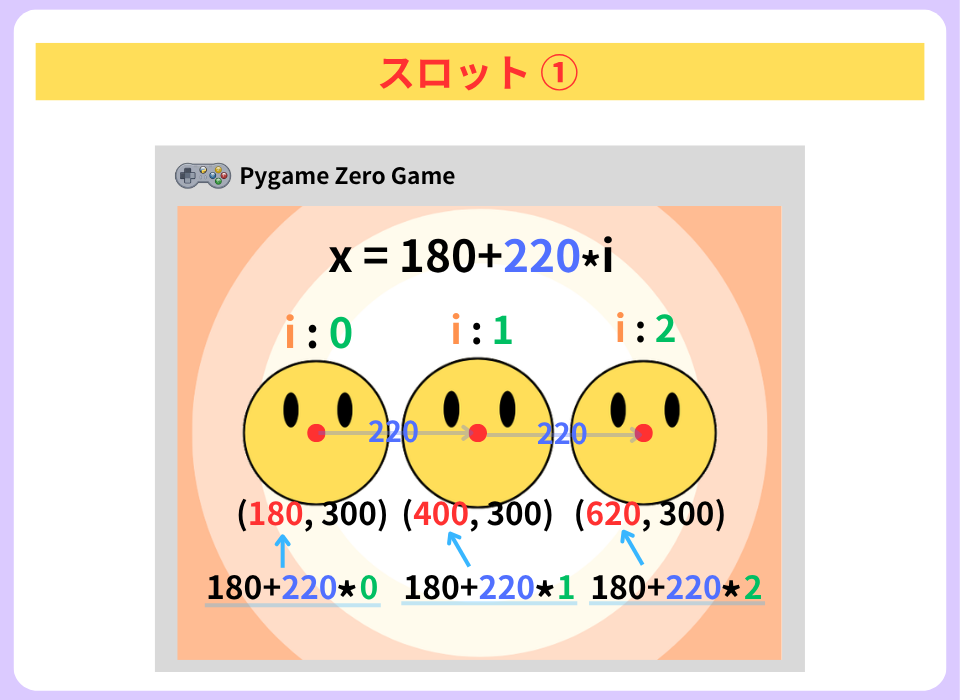
x座標を 220pxずつずらしたよ
animate( )メソッドを使って
3つの画像を交換させましょう
for i in range(3):
    x = 180 + 220 * i
    y = 300
    boon = Actor("boon", (x, y))
    boon.images = ["boon_1", "boon_2", "boon_3"] #1 画像を取り込む
    boon.fps = random.randint(10, 30) #2 10~30からランダムに選んだ数値を プロパティfpsに代入する
    boon.pause() #5 アニメーションを 一時停止する
    boons.append(boon)

def update():
    for boon in boons: #3 リストboonsから boonを取り出す
boon.animate() #4 コスチュームアニメーションをするpause()メソッドを外しています。 つけたら止まるよ
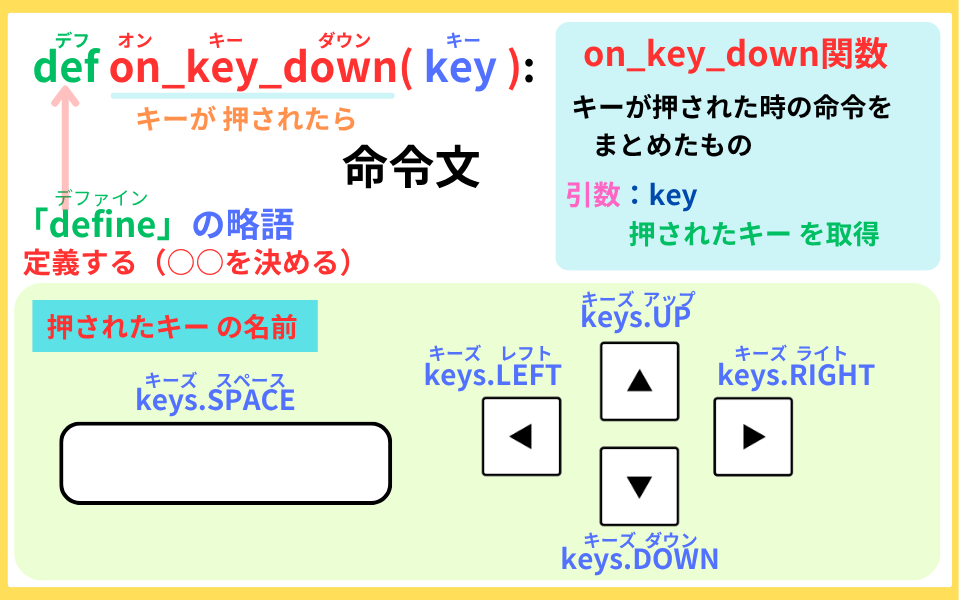
def on_key_down(key)関数を使って
スペースキーを押したら 3つのリールを 回転させるよ
bg_image = "bg"
game = "ready" #1 変数gameを宣言 初期値:"ready"def on_key_down(key): #2 キーが押された関数を定義する
global game #3 グローバルgame
if key == keys.SPACE: #4 もし スペースキーが押されたら
sounds.決定ボタンを押す3.play() #5 効果音を 鳴らす
if game == "ready": #6 もし 変数gameが "ready"なら
for boon in boons: #7 リストboonsから boonを取り出す
boon.play() #8 コスチュームアニメーションを 再開する
game = "spin" #9 変数gameに ”spin"を設定する
def update():効果音提供:効果音ラボ
https://soundeffect-lab.info/
・ 「決定ボタンを押す3」: ボタン・システム音[1]
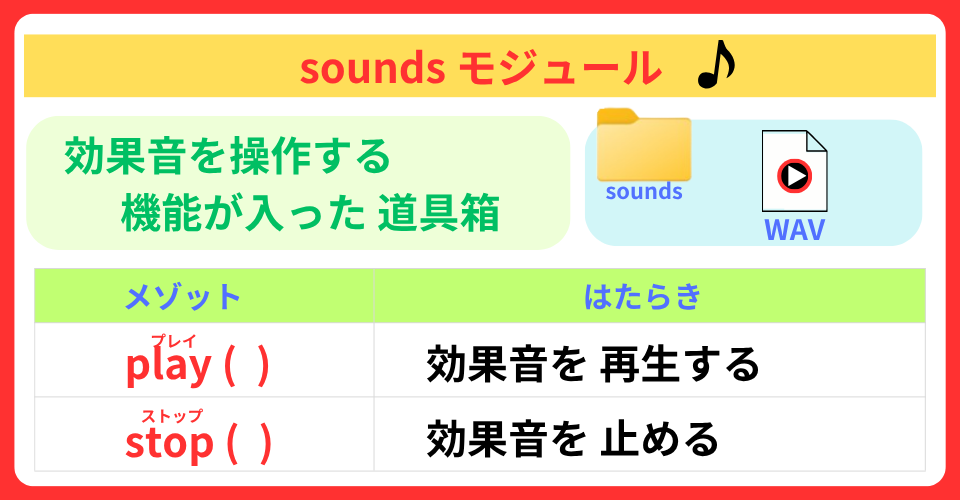
効果音ラボサイトからの音源は、MP3形式です。
しかし、pygame zeroプログラムでは、MP3形式は使えません。
WAV形式に 変換して フォルダsoundsに 入れてください
次は、変数gameを 変えることにより
スペースキーを押したら 左から順に リールを止まるようにしましょう
def on_key_down(key):
    global game

    if key == keys.SPACE:
        sounds.決定ボタンを押す3.play()

        if game == "ready":
            for boon in boons:
                boon.play()
            game = "spin"

        elif game == "spin": #1 もし 変数gameが spinなら
            boons[0].pause() #2 左boonのアニメーションを 止める
            game = "left" #3 変数gameに leftを設定する

        elif game == "left": #4 もし 変数gameが leftなら
            boons[1].pause() #5 真ん中boonのアニメーションを 止める
            game = "center" #6 変数gameに centerを設定する

        elif game == "center": #7 もし gameが centerなら
            boons[2].pause() #8 右boonのアニメーションを 止める
            game = "result" #9 変数gameに resultを設定する

        elif game == "result": #10 もし 変数gameが resultなら
            for boon in boons: #11 リストboonから boonを取り出す
                boon.image = "boon" #12 コスチュームを boonに設定する
            game = "ready" #13 変数gameを readyに設定する
おお!スロットだぁ!
まず、2つの図柄が 合っているかどうか調べる
check( a, b )関数を 定義しましょう
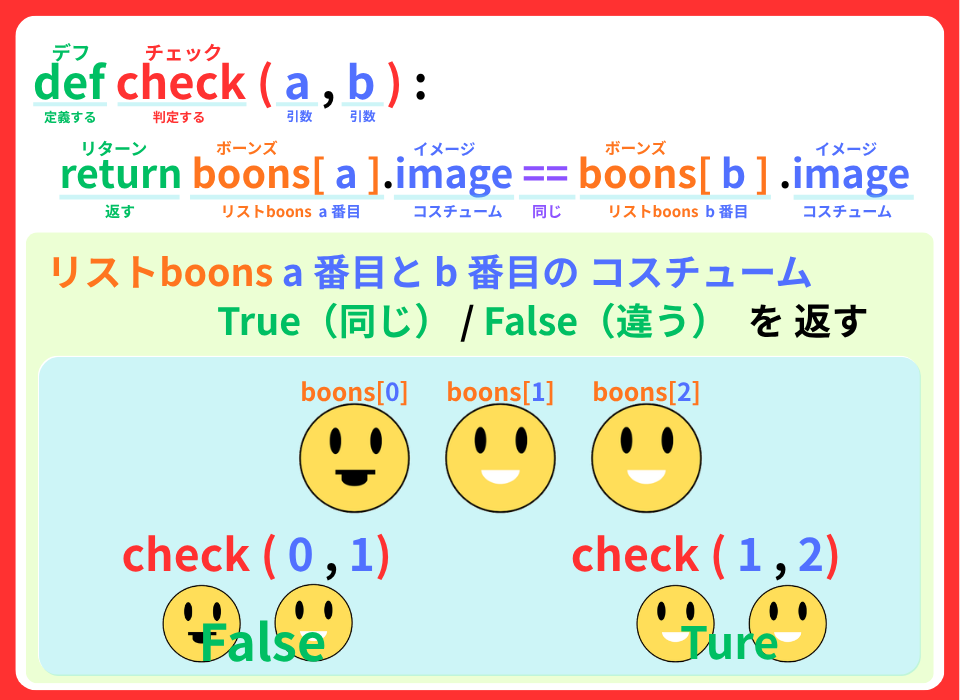
なるほど!Ture か False が 返ってくるのね
次に ゲームオーバーを 定義するよ
・ 背景画像 : “bg_over“
・ 効果音 : ボヨン
def check(a, b):  #1 チェック関数を 定義する
    return boons[a].image == boons[b].image #2 コスチュームを比べて True/ False を返す

def game_over(): #3 ゲームオーバー関数を 定義する
    global bg_image #4 グローバル変数 bg_image

    bg_image = "bg_over" #5 変数bg_imageに bg_overを設定する
    sounds.ボヨン.play() #6 効果音を 鳴らす

def on_key_down(key): それでは、check( )関数を使って
真ん中のリールが止まった時の プログラムを 作成しよう
def on_key_down(key):
    global game, bg_image #5-7-1 グローバル変数

    if key == keys.SPACE:
        sounds.決定ボタンを押す3.play()

if game == "ready": elif game == "left":
boons[1].pause()
if check(0, 1): #2 もし チェック関数が Trueなら
bg_image = "bg_reach" #3 変数bg_imageに bg_reachを設定する
sounds.成功音.play() #4 効果音を 流す
game = "center"
else: #5 その他
boons[2].pause() #6 右リールを一時停止する
game_over() #7 game_over()関数を 実行する
game = "result" #8 変数gameに resultを設定する
elif game == "center":
boons[2].pause()
game = "result"
elif game == "result":
bg_image = "bg" #9 変数gameに bgを設定する
for boon in boons:
boon.image = "boon"
game = "ready" 効果音提供:効果音ラボ
https://soundeffect-lab.info/
・ 「ボヨン」: アニメ
・ 「成功音」: ボタン・システム音[1]
リスタートが できるね
最後に、右のリールを止めた時のプログラムを作るよ
まずは、
check(1, 2)関数で 3つの図柄がそろった時のプログラムを作ります
def on_key_down(key):
    global game, bg_image

    if key == keys.SPACE:
        sounds.決定ボタンを押す3.play()

        if game == "ready":
for boon in boons: elif game == "center":
boons[2].pause()
if check(1, 2): #1 もし 真ん中と右の絵柄が 同じなら
bg_image = "bg_win" #2 変数bg_imageを bg_winに設定する
sounds.決定ボタンを押す26.play() #3 効果音を鳴らす
else: #4 その他
game_over() #5 game_over関数を実行する
game = "result"
elif game == "result":効果音提供:効果音ラボ
https://soundeffect-lab.info/
・ 「プレゼンタイトル表示1」: ニュース・プレゼン(ビジネス系)
・ 「ボヨン」: アニメ
・ 「決定ボタンを押す26」 :ボタン・システム音[1]
・ 「成功音」: ボタン・システム音[1]
最後に、
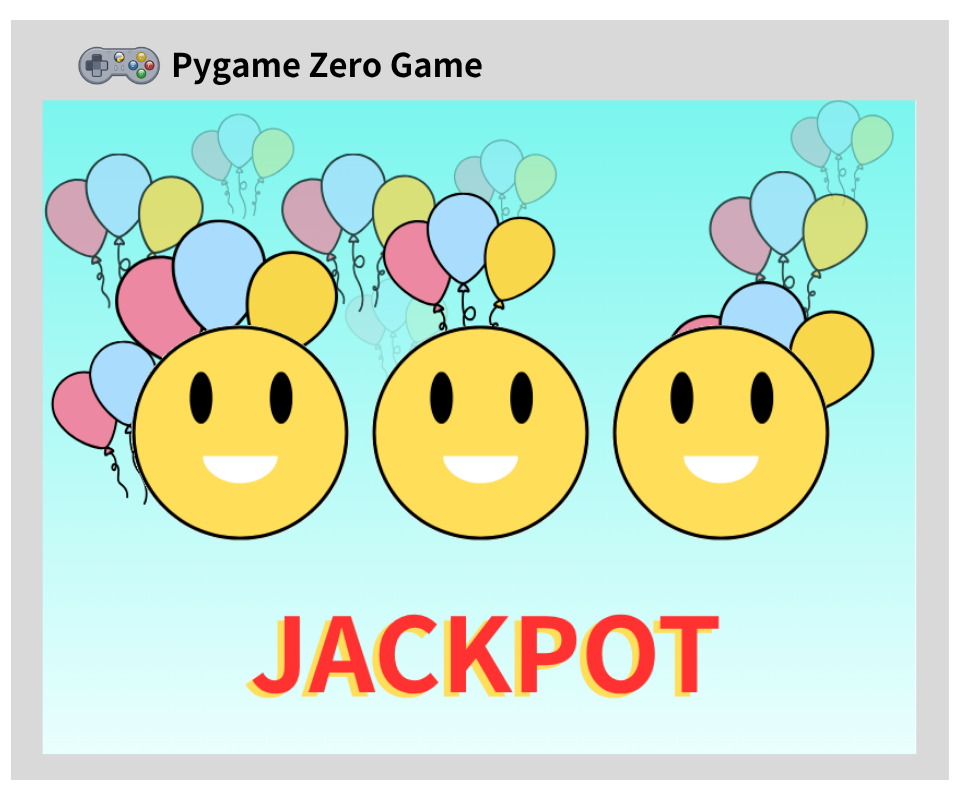
図柄: ”boon_3″ がそろったら、ジャックポットにします
def on_key_down(key):
    global game, bg_image

    if key == keys.SPACE:
        sounds.決定ボタンを押す3.play()

        if game == "ready":
for boon in boons: elif game == "center":
boons[2].pause()
if check(1, 2):
if boons[2].image == "boon_3": #1 右の絵柄が boon_3なら
bg_image = "bg_jackpot" #2 変数bg_imageに bg_jackpotを設定する
sounds.プレゼンタイトル表示1.play() #3 効果音を 鳴らす
else: #4 その他
bg_image = "bg_win"
sounds.決定ボタンを押す26.play()
else:
game_over()
game = "result" def draw():
screen.blit(bg_image, (0, 0))
for boon in boons:
boon.draw()
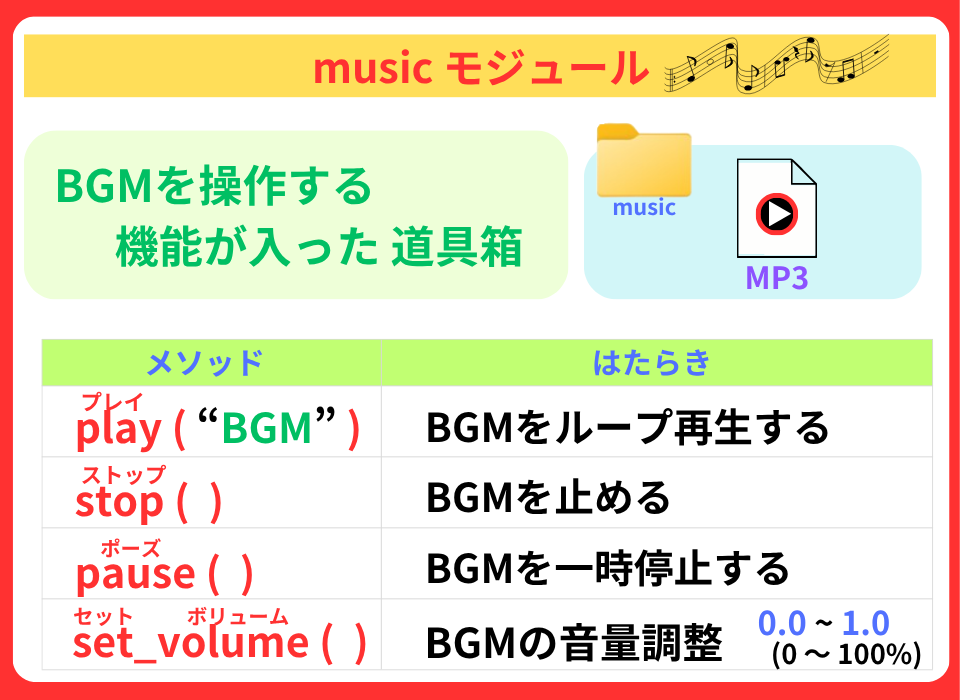
music.play("今日の空も") #5 BGMを 流す
music.set_volume(0.5) #6 音量を 0.5にするBGM提供: DOVA-SYNDROME
https://dova-s.jp/
・ 「今日の空も 」 written by POLARIS PLUS
効果音提供:効果音ラボ
https://soundeffect-lab.info/
・ 「プレゼンタイトル表示1」: ニュース・プレゼン(ビジネス系)
・ 「ボヨン」: アニメ
・ 「決定ボタンを押す3」: ボタン・システム音[1]
・ 「決定ボタンを押す26」 :ボタン・システム音[1]
・ 「成功音」: ボタン・システム音[1]
今回の学習は、これで 終了! おつかれさま
今回は、
スペースキーを使ったスロットプログラムを作りました。
import pgzrun
from costume import *
import random

WIDTH = 800
HEIGHT = 600

bg_image = "bg"
game = "ready"

boons = []

for i in range(3):
    x = 180 + 220 * i
    y = 300
    boon = Actor("boon", (x, y))
    boon.images = ["boon_1", "boon_2", "boon_3"]
    boon.fps = random.randint(10, 30)
    boon.pause()
    boons.append(boon)

def check(a,b):
    return boons[a].image == boons[b].image

def game_over():
    global bg_image
    bg_image = "bg_over"
    sounds.ボヨン.play()

def on_key_down(key):
    global game, bg_image

    if key == keys.SPACE:
        sounds.決定ボタンを押す3.play()

        if game == "ready":
            game = "spin"
            for boon in boons:
                boon.play()

        elif game == "spin":
            boons[0].pause()
            game = "left"

        elif game == "left":
            boons[1].pause()
            if check(0, 1):
                bg_image = "bg_reach"
                sounds.成功音.play()
                game = "center"
            else:
                boons[2].pause()
                game_over()
                game = "result"

        elif game == "center":
            boons[2].pause()
            if check(1, 2):
                if boons[2].image == "boon_3":
                    bg_image = "bg_jackpot"
                    sounds.プレゼンタイトル表示1.play()
                else:
                    bg_image = "bg_win"
                    sounds.決定ボタンを押す26.play()
            else:
                game_over()
            game = "result"

        elif game == "result":
            bg_image = "bg"
            for boon in boons:
                boon.image = "boon"
            game = "ready"

def update():
    for boon in boons:
        boon.animate()

def draw():
    screen.blit(bg_image, (0, 0))
    for boon in boons:
        boon.draw()

music.play("今日の空も")
music.set_volume(0.5)

pgzrun.go()costumeモジュールの animate()メソッドを使って
いろいろな図柄の スロットを作ってみてください
はぁ~い!
それじゃあ、またね!